
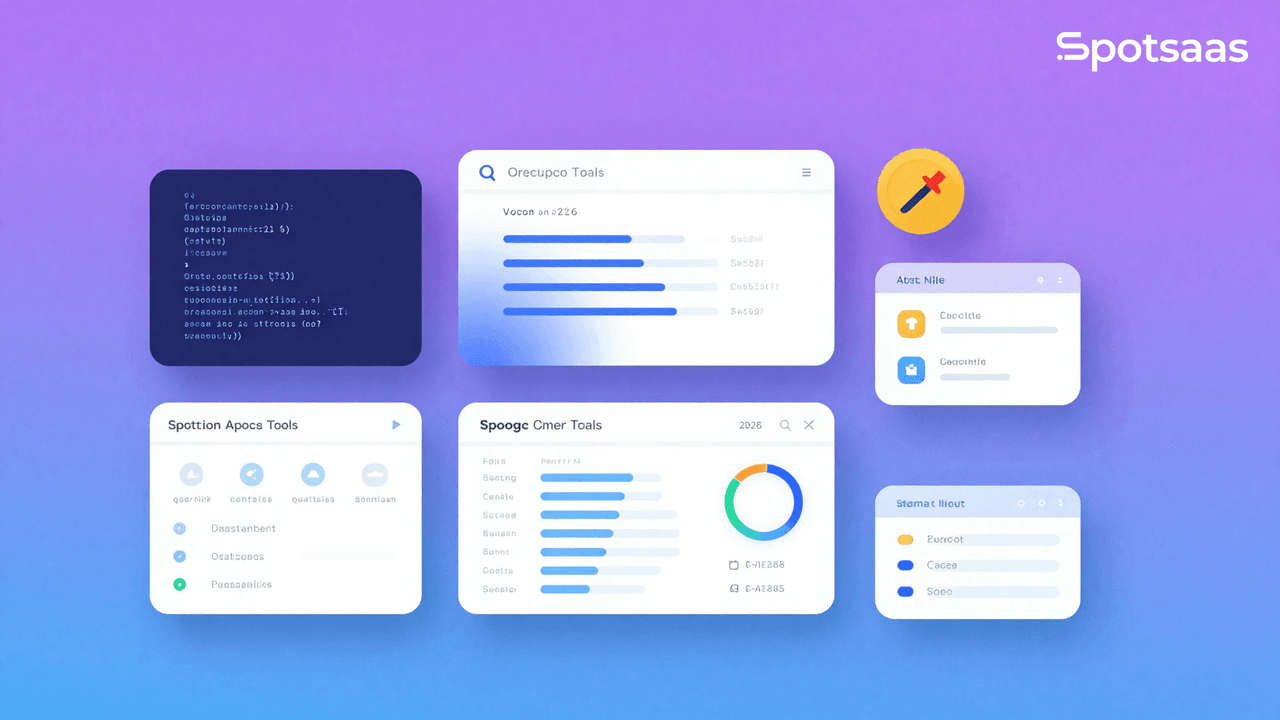
Static code analysis tools are essential for developers because they help keep code easy to maintain. These tools identify potential problems, bugs, and vulnerabilities in code before they become bigger issues down the line, often catching things a manual review would miss.
This buyer’s guide outlines the key factors to weigh when choosing the right static code analysis tools, so you can match a tool to how your team actually builds software.
What Do Static Code Analysis Tools Do and Why Should You Use Them?
Static code analysis tools examine source code to identify errors, security vulnerabilities, and coding standard issues without ever executing the code.
They’re a valuable resource for developers, making it easier to assess code and catch potential problems early, which raises the overall quality of the software before it ever reaches a reviewer.
These tools help make sure your code follows industry best practices, stays safe from vulnerabilities, and runs efficiently. They act as a first line of defense in software quality management, saving developers time and effort that would otherwise go into tracking down issues after the fact.
Why Should You Use Static Code Analysis Tools?
Static code analysis tools matter for developing secure, high-quality, maintainable code. They cut down on production bugs, strengthen security, and improve collaboration by keeping code quality standards consistent across a team, even as team members change over time.
Catch Issues Early in the Development Process
Static code analysis tools scan code during development to flag potential problems, including logical errors, syntax errors, and bugs, before testing or deployment. Catching these issues early avoids the extra time and cost of fixing them later in the process, when a bug is often tangled up with other changes.
Write Cleaner, More Maintainable Code
Improving the quality of a codebase means sticking to industry standards and best practices. Using the right tools and a structured approach makes code more efficient and easier to maintain going forward.
This simplifies updates and helps development teams collaborate better. Clean, well-organized code is what keeps ongoing improvement and cooperation possible.
Build Security Into Your Code from the Start
Early in the development cycle, static code analysis tools help uncover vulnerabilities like SQL injection, cross-site scripting, and buffer overflows. Catching these issues early strengthens your security posture and lowers the risk of a breach, well before the code goes anywhere near production.
Ship Faster Without Compromising Quality
Letting automated tools handle code reviews frees up developers’ time from intensive manual checks, so they can focus on building features and shipping updates. That means projects move faster without sacrificing quality.
Prevent Long-Term Code Problems
Regular scans highlight inefficiencies and flag areas for improvement, which keeps technical debt from piling up. This makes it easier to fix problems on time and keep code clean, scalable, and ready for whatever comes next.
What Are the Key Features of Static Code Analysis Tools?
Static code analysis tools cover a range of needs, from straightforward syntax checking to advanced vulnerability detection and detailed, exportable reporting.
Support for Polyglot Codebases
Support for multiple programming languages makes a tool more flexible and applicable across different codebases, which is a cost-effective, efficient fit for teams working on multi-language projects. When multi-language support is built in, onboarding between teams also gets simpler, since developers don’t have to learn a new tool for every stack.
Built-In OWASP Top 10 Monitoring
Static code analysis tools that check for the OWASP Top 10 vulnerabilities help keep software secure and reliable, reduce the risk of a breach, and build trust by catching vulnerabilities early. That adds an extra layer of security validation during development, on top of whatever manual review process a team already has.
Adapt Rules for Team or Project Needs
Customizable rule sets let teams adapt the tool to their coding standards and project requirements.
This keeps a consistent standard across all projects, improving code quality while meeting an organization’s specific requirements. Teams can also adjust these rules over time as project needs change, without having to switch to a different tool entirely.
Seamless IDE, CI/CD, and VCS Integration
These tools work within existing development environments like IDEs, CI/CD pipelines, and version control systems. That compatibility lets teams run code analysis without breaking from their standard workflow, and it keeps the tools connected to what developers already use day to day, so there’s no separate process to remember.
Prioritized Reports and Fix Recommendations
Good tools produce informative reports on the severity of each issue, recommended fixes, and maintainability metrics.
Thorough reports that flag priority level and estimated time to fix drive better code quality and project outcomes. Regular reports also keep stakeholders informed about a project’s progress without requiring a separate status meeting.
On-the-Fly Issue Detection During Development
Real-time feedback flags a problem for the developer while they’re still writing the code, so they can fix it immediately. That saves time, keeps the flow of work going, and helps developers build better habits as they code, learning from the same mistake instead of repeating it.
What Are the Benefits of Using Static Code Analysis Tools?
Static code analysis tools produce metrics that measurably improve the software development process and the quality of the end product.
These tools don’t slow development down. Instead, they automate code reviews and give teams the insight they need to build more secure, reliable, and performant software.
Create Reliable Software from Day One
Static analysis tools catch potential bugs and crashes early in the development lifecycle, so those issues get addressed before deployment.
That keeps code reliable, cuts downtime, improves user satisfaction, and lowers the cost of fixing errors that surface after deployment. Reliable code also tends to perform better overall, which compounds as an application scales.
Lower the Risk of Cyber Attacks
These tools proactively flag application vulnerabilities such as SQL injection, XSS, and buffer overruns, defending applications against outside threats.
Meeting security standards and closing off possible attack vectors helps minimize breaches and protect users’ sensitive data. Staying ahead of vulnerabilities strengthens an application’s overall security posture and reduces the chances of a costly incident down the line.
Free Up Developers to Build, Not Debug
Automating repetitive work, like code reviews and syntax checks, gives developers more time to build features and improve the product. Automation also cuts down on manual errors and helps teams hit deadlines more comfortably, instead of scrambling at the end of a sprint.
Stay Compliant Without Slowing Down
Following pre-defined rule sets, static code analysis tools check code against regulation standards such as PCI DSS, GDPR, and HIPAA. That makes audits simpler and helps an organization stay compliant without constant manual oversight of regulatory requirements, which frees up compliance teams for other work.
Align Your Team with Standardized Code Practices
Enforcing a standardized code practice across teams encourages better communication through consistent coding styles and documentation. That smooths collaboration on large or cross-functional teams, cuts down on misunderstandings, and keeps development projects on the same approach even as new people join.
What Types of Static Code Analysis Tools Are Available?
Static code analysis tools vary quite a bit depending on team size, project complexity, and available budget.
Choosing the right static code analysis software comes down to your team’s technical capability, budget, and project needs. Each type has its own advantages and trade-offs.
Use Open-Source Tools for Flexibility and Cost Savings
Open-source static code analysis tools are freely available and updated and improved through community contributions.
They’re a good fit for startups or small teams on tight budgets, though they typically require some in-house expertise to set up and customize. Being highly flexible, they let developers modify or extend functionality as needed, right down to the underlying rules.
Choose Commercial Solutions for Enterprise Needs
Commercial tools deliver enterprise-grade features, including comprehensive advanced security analysis, scalability, and professional support.
They suit larger teams or enterprises that need strong data performance and protection. The vendor keeps the tools updated and backs them with dedicated support, which matters when downtime carries a real cost.
Improve Workflow with IDE-Integrated Tools
These tools work directly within a developer’s coding environment, such as IntelliJ IDEA or Visual Studio, giving real-time feedback while coding so problems get fixed immediately.
They don’t interrupt the development process. Instead, they plug straight into the IDE to boost productivity without disrupting existing workflows, so developers barely notice the extra layer of checking.
Enable Collaboration with Cloud-Based Analysis
Cloud-based static code analysis tools run from the cloud, so remote or distributed teams can use them without needing local installations. That also gives them the scalability to handle big or complex projects.
These tools support collaboration at the full team level and usually come with a centralized dashboard for tracking performance and sharing insights across projects and teams alike.
How Do the Top Static Code Analysis Tools Compare?
A side-by-side comparison of the best tools makes the decision easier. The table below summarizes the essential features, pricing, and use cases of some of the most popular static code analysis tools on the market today.
| Tool | Pricing | Best For | Key Features | Notable Customers |
|---|---|---|---|---|
| SonarQube | Free (Community Edition) | Open-source projects | Multi-language, custom rulesets, CI/CD | eBay, NASA |
| Fortify | Custom Pricing | Enterprise security | OWASP detection, compliance checks | Accenture, Deloitte |
| Codacy | Starts at $15/user/month | Cloud-based teams | Real-time feedback, integrations | PayPal, Adobe |
| Checkmarx | Custom Pricing | Security-first projects | Deep security scanning, policy enforcement | Coca-Cola, SAP |
| ReSharper | $129/year per user | Individual developers | IDE integration, real-time feedback | JetBrains customers |
How to Choose the Best Static Code Analysis Tools
Selecting the right static code analysis tool matters for high-quality, secure, and efficient software development. This guide should leave you equipped to choose a tool that improves code quality, identifies vulnerabilities, and fits into your development workflow without adding unnecessary overhead.
Defining the Purpose of the Tool
Improve Code Quality
Static code analysis tools help maintain clean, well-structured code by flagging areas for improvement. They enforce coding standards, which makes a codebase easier to maintain and extends its longevity across future releases.
Enhance Security
These tools strengthen application security by catching vulnerabilities during the development phase, before they become bigger risks after release.
Boost Development Efficiency
Automation lets teams focus on writing good code instead of spending time on manual review. Faster issue identification speeds up workflows and gets projects delivered sooner, without cutting corners to hit a deadline.
Support Multiple Languages
A tool that supports multiple languages keeps code quality consistent for teams working across different programming languages, which simplifies things for diverse projects and mixed technology stacks.
Enable Seamless Integration
Tools that fit naturally into development environments and CI/CD pipelines keep the workflow smooth and support better team productivity and collaboration, rather than becoming yet another tab to check.
What types of static code analysis tools are available?
Cloud-Based Analysis Tools
Cloud-based tools are convenient and scalable. They run analyses on remote servers, are accessible from anywhere, and offer a fast setup without extra infrastructure to manage on your own.
On-Premise Analysis Tools
These tools install on local servers, giving teams more control over their data and configurations. They fit well for teams that prioritize data privacy and customization over the convenience of a hosted service.
Open-Source Analysis Tools
Open-source tools offer flexibility and customization, making them popular with teams that want to tailor a tool to their own workflows. They’re community-driven and keep evolving with input from contributors worldwide.
Enterprise-Grade Analysis Tools
Built for large organizations, enterprise-grade tools include advanced features such as team collaboration, role-based access, and detailed reporting. They suit complex projects that need extensive analysis capabilities across many repositories at once.
How well does the tool align with your workflow?
Integration with IDEs and Editors
A tool that plugs directly into popular IDEs like IntelliJ, Eclipse, or VS Code gives real-time feedback, helping developers fix issues as they code. That keeps development moving and cuts down on time spent debugging after a build.
Compatibility with Version Control Systems
Integration with platforms like GitHub, GitLab, or Bitbucket automates code analysis during commits and pull requests, which streamlines peer review and flags issues before code reaches production branches.
Support for CI/CD Pipelines
Integration with tools like Jenkins, CircleCI, or Azure DevOps keeps code analyzed at every stage, maintaining consistency and quality across builds without disrupting delivery timelines.
Customizable Reporting Features
Clear, detailed reports highlight actionable insights. Multiple export formats make them easy to share with teams, stakeholders, or auditors.
What features should the ideal tool include?
Real-Time Feedback
Instant insight lets developers address issues as they write code, cutting down on rework and boosting productivity. This keeps developers in the flow and avoids unnecessary delays.
Customizable Rulesets
Every team has its own standards. Tools that support rule customization keep alignment with project-specific requirements and foster consistency, and rules can be adapted over time as a team’s needs change.
Vulnerability Detection
Catching security risks early improves software reliability. Built-in checks against known vulnerability patterns, including the OWASP Top 10, strengthen your software’s defenses before deployment.
Integration with Development Tools
Smooth integration with tools already in use cuts down on friction in team workflows. The best tools work quietly in the background while actively improving your output.
Multi-Language Support
Multi-language support reduces the complexity of managing tools across teams and codebases, which especially helps polyglot teams and enterprises with diverse product lines.
Code Duplication Detection
Finding duplicate code blocks helps clean up inefficiencies and improves long-term maintainability. Cleaner codebases mean fewer bugs and faster onboarding for new developers.
Static Metrics Analysis
Tools that surface metrics like code complexity and a maintainability index let teams make informed, strategic refactoring decisions.
Role-Based Access Control
Permission-based access makes sure only authorized users can make sensitive changes, which supports security protocols and protects large codebases from accidental edits.
Visualization Dashboards
Interactive dashboards highlight trends and risk areas visually, helping teams stay aligned and prioritize work more effectively.
How can reporting and insights support quality improvement?
Categorized Issue Tracking
Grouping issues by type and severity helps teams quickly decide which problems to fix first. That approach saves time and improves impact, especially when a backlog of issues has built up.
Progress Tracking Over Time
Seeing measurable improvement helps maintain momentum, and it gives technical leads the data they need to show progress to non-technical stakeholders.
Insight Dashboards
Dashboards simplify complex information, letting teams spot red flags quickly. They’re also useful for planning and retrospectives.
Exportable Reporting Formats
Being able to generate PDF, CSV, or other formats supports collaboration, reporting, and compliance workflows across departments.
What pricing and scalability factors should you consider?
Subscription Plans
Monthly or yearly subscription models help forecast budgets. These plans usually unlock the full feature set and include updates and support.
Usage-Based Pricing
Pay-as-you-go models let teams scale costs up or down based on usage, which suits short-term projects or agencies well.
Custom Pricing for Enterprises
Tailored packages for large teams often include advanced security, role management, priority support, and on-premise options.
Support for Large-Scale Teams
The right tool should be able to scan large, complex repositories without bottlenecks or timeouts.
Multi-Project Management Capabilities
Managing multiple codebases under one dashboard simplifies team collaboration and improves visibility across departments.
Built-In Collaboration Features
Team-wide features like in-line comments, alerts, and status tracking foster alignment and reduce silos.
How important is support and training for successful adoption?
24/7 Customer Support
Around-the-clock availability across channels helps teams troubleshoot without halting progress.
Onboarding and Documentation
Comprehensive guides, tutorials, and quick-start videos lower the learning curve and speed up full team adoption, even for developers new to the tool.
How Should You Finalize Your Static Code Analysis Tool Decision?
Choosing the right static code analysis tool comes down to understanding your project requirements, team experience, and budget. A well-selected tool pays off in code quality, security, and smoother development integration, often in ways that only become obvious months later.
Test tools against your goals by trialing a few and comparing features, ease of use, and scalability. Whether you land on SonarQube, an open-source option, or a full enterprise solution like Checkmarx, the right tool will boost productivity, support collaboration, and help deliver quality software your team can stand behind.

- Independent picks for exactly what you just read about
- Matched to your team size & needs
- Vendors don't pay for placement
Step 1 of 4
How big is your team?
We tailor recommendations to companies your size.















Related Articles

Buyers guide
How To Choose The Best Auto Dialer Software For 2026
Continue reading →
Buyers guide
How To Choose The Best Freelance Platforms For 2026
Continue reading →

Buyers guide
How To Choose The Best Audience Response Software For 2026
Continue reading →
Buyers guide
How To Choose The Best Workforce Management Software For 2026
Continue reading →