
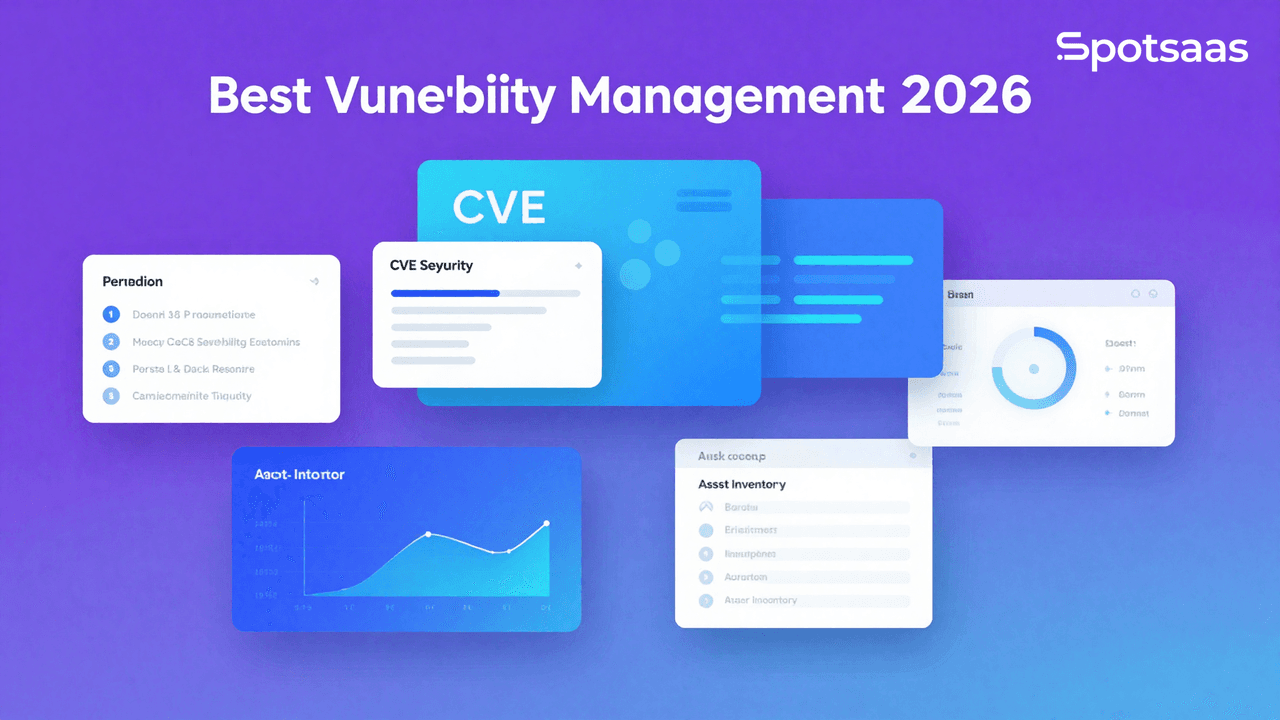
Vulnerability management software identifies, assesses, and mitigates security threats before they turn into incidents. This guide walks through the considerations and features that actually determine which tool is right for your company going into 2026.
What Is Vulnerability Management Software?
Vulnerability management software is a category of cybersecurity application built to find, assess, and prioritize weaknesses across IT infrastructure.
It scans networks, systems, and applications for the kind of weaknesses threat actors look to exploit, then turns what it finds into actionable steps for remediation. That makes vulnerability assessments faster to run and easier to act on, which strengthens an organization’s overall security posture and supports compliance.
Why Should You Use Vulnerability Management Software in 2026?
Spot threats before attackers do
The software finds weaknesses in your network, applications, and endpoints before an attacker gets to them. Because scanning runs automatically, those areas stay under watch continuously, which narrows the window criminals have to act.
Catching exposed assets early gives organizations the chance to fix or contain a vulnerability before it causes any real damage.
Focus on the vulnerabilities that matter most
Not every vulnerability carries the same level of risk. By weighing severity, exploitability, and potential business impact, these tools help organizations put their resources toward the most critical issues first.
That risk-based approach means limited time and staff go toward protecting the assets that matter most, instead of being spread thin across everything at once.
Stay compliant with industry regulations
Most organizations have to meet strict regulatory requirements, whether that’s GDPR, PCI DSS, or HIPAA. Vulnerability management tools generally produce the detailed reports and audit trails needed to prove compliance against those standards.
Finding and fixing vulnerabilities systematically also lowers the odds of fines, penalties, or reputational damage that come with falling out of compliance.
Build a stronger security foundation
Running vulnerability assessments continuously, rather than as a one-time project, gives a fuller picture of the IT environment and shows how weak points shift over time.
Fixing those weaknesses on an ongoing basis strengthens defenses against cyberattacks, malware, and data breaches, and keeps that resilience intact as the threat landscape keeps shifting.
Make fixes faster and easier
Because the software already knows the details of each vulnerability it finds, it can point directly to the recommended fix, which makes the remediation process more straightforward.
Integrating with IT service management and ticketing systems keeps IT and security teams working from the same information on who owns which fix. That cuts down on downtime during handoffs and reduces the odds of an issue slipping through unresolved.
What Are the Key Features of Vulnerability Management Software?
Keep scanning automatically without the manual work
Automated scanning keeps a constant watch over networks, endpoints, and applications, flagging vulnerabilities as they appear rather than on a fixed schedule.
That saves time and cuts down on the human error that comes with manual checks. Regular updates to the underlying vulnerability database keep the coverage current, from newly disclosed threats to older ones still worth watching.
Know which risks to fix first
Risk prioritization scores each vulnerability on exploitability, severity, and potential impact to the organization, which gives security teams a way to focus limited resources on what actually needs attention first.
More advanced tools also factor in outside threat intelligence, which sharpens how accurately they prioritize.
Get the data you need, when you need it
Real-time reporting gives a clear read on vulnerabilities, how serious each one is, and the recommended next step for mitigating it.
Dashboards built for decision-makers, with exportable reports, make it easier to track progress and plan next steps. They also double as a record to point back to later, whether that’s for an audit or a stakeholder meeting.
Connect with your existing security tools
Integrations let vulnerability management tools plug into the rest of the security stack, including SIEM systems, ticketing platforms, and patch management applications.
That connectivity lets organizations automate parts of incident response, cuts down on manual work, and keeps remediation efforts consistent across every vulnerability rather than handled piecemeal.
Track every fix to the finish line
Remediation tracking is what shows whether a fix has actually been applied, and gives a clear, current status on every one that’s in progress.
Having pending items visible in one place lets organizations judge how well their remediation process is actually working, and gives a broader sense of how organized the overall security effort is.
Prove you’re meeting security standards
These tracking features matter most during compliance audits, where a documented, ongoing audit trail is what demonstrates compliance with standards like GDPR, PCI DSS, and HIPAA.
Pre-configured templates make that documentation easier to produce, and detailed reports help confirm security practices actually meet regulatory requirements, which lowers the odds of penalties or fines down the line.
What Types of Vulnerability Management Software Are Available?
Monitor networks and infrastructure
Network-focused tools scan and monitor routers, switches, and firewalls to test for vulnerabilities and identify security risks. They’re particularly useful for surfacing configuration issues, firmware that needs updating, and gaps in the network infrastructure itself.
That makes this category close to essential for any organization running a large or complex IT environment that needs its network to stay protected and resilient.
Secure your apps from inside out
Application-focused tools identify weaknesses in web apps, software, and APIs, catching issues like SQL injection, cross-site scripting, and misconfigurations in the codebase itself. That makes them a key part of securing the development lifecycle.
They matter most to development teams whose job is delivering secure, reliable software to users.
Protect cloud environments
Cloud-focused tools are built for hybrid and cloud environments alike, scaling access appropriately for organizations running on cloud infrastructure. They’re built to catch weak access controls, misconfigurations, and vulnerabilities specific to cloud platforms.
They’re especially relevant for businesses running remote or distributed teams, since they cover security end to end across multi-cloud setups.
Lock down every endpoint
Endpoint tools protect the desktops, laptops, servers, and mobile devices people actually use day to day, identifying and fixing risks like outdated software, unpatched systems, or unauthorized access attempts.
That makes them especially relevant for industries with a lot of remote or mobile workers, where end-user devices are the main attack surface.
Get everything in one platform
All-in-one platforms combine what network, application, cloud, and endpoint tools each do individually into a single solution.
That gives security teams one interface for managing risk across the entire IT ecosystem, cutting down on operational complexity. It’s the better fit for large organizations with sprawling, interconnected environments.
Whichever type an organization lands on, the goal is the same: full coverage of possible threats, matched to that organization’s specific security and operational needs.
What Are the Benefits of Using Vulnerability Management Tools in 2026?
See your full threat landscape
These tools give security teams a full view of the IT infrastructure, including vulnerabilities spread across networks, applications, and endpoints.
That visibility makes it easier to catch weaknesses early and prioritize remediation, so critical threats don’t slip through unnoticed. It’s a more proactive, more targeted approach to security than reacting after something’s already gone wrong.
Stop attackers before they exploit weaknesses
Closing vulnerabilities before attackers find them cuts down significantly on the odds of a successful breach, and limits the potential damage from malware, ransomware, and unauthorized access.
They also help protect sensitive data and keep systems intact. Constant scanning and updates make sure protection against known exploits doesn’t go stale.
Make security operations more efficient
Automating scans, assessments, and reporting removes a lot of the manual work from vulnerability management, which frees security teams up to be more productive rather than less.
Risk prioritization keeps that time and those resources aimed at the most critical problems, which speeds things up and improves how security operations allocate resources overall.
Help teams work better together
Integrations with SIEM, ticketing, and patch management tools build a stronger working relationship between IT and security teams, since both are pulling from the same system instead of working around each other.
Shared dashboards and real-time updates keep everyone working from the same information, which speeds up workflows and helps vulnerabilities get fully resolved rather than half-addressed. Tracking progress and outcomes this way also raises accountability across the team.
Stay ready for tomorrow’s threats
Constant monitoring and automatic updates keep organizations prepared for threats that haven’t fully emerged yet, not just the ones already known.
Newer tools fold in threat intelligence and machine learning, which helps them adapt as the cybersecurity landscape shifts, including against zero-day vulnerabilities and more sophisticated attack methods.
How to Choose the Best Vulnerability Management Software
Picking the right vulnerability management software matters for securing organizational assets, prioritizing risk, and keeping remediation moving. Here’s what to weigh.
What Security Goals Should Your Software Help You Achieve?
Getting clear on what you actually need the software to do makes sure it lines up with your security strategy instead of just adding another dashboard.
Scan for vulnerabilities across systems
Look for a tool that runs deep scans across networks, applications, and endpoints, surfacing both known and newly emerging vulnerabilities, so issues can be addressed before they affect operations.
Focus your efforts where risks are highest
Good risk prioritization weighs exploitability, asset criticality, and business impact, so teams can put their effort toward the vulnerabilities that actually threaten the organization most.
Speed up the remediation process
Automatic ticket creation and clear, actionable guidance make remediation faster and more consistent, cutting resolution time while still making sure fixes are thorough.
Meet compliance standards with ease
Features like automated checks against regulatory standards and detailed reporting make staying compliant less of a manual chore, and help protect the organization from legal risk and penalties.
Monitor everything from one dashboard
A centralized dashboard pulls data from across the organization into one place, so security teams can track vulnerabilities, remediation progress, and overall risk without switching between tools.
What Deployment Model Best Fits Your Organization?
The right deployment model depends on matching the software to both your technical setup and how your team actually operates.
Choose cloud-based software for speed and flexibility
Cloud-based tools work well for dynamic environments where fast deployment and remote management matter, and automatic updates keep the tool current against the latest threats without extra effort.
Keep control with on-premise installations
On-premise installations give full control over data and configuration, which fits sectors like finance or healthcare where data sensitivity is non-negotiable, and allows for a more tailored setup.
Combine the best of both with hybrid models
Hybrid setups split the difference, keeping sensitive data managed locally while still using the cloud for scalability and features like AI-driven analytics.
Use agent-based tools for endpoint visibility
Agent-based tools keep monitoring endpoints even when they’re off the network, which gives more detailed visibility and better coverage across hybrid work setups.
How Should Your Software Handle Data and Integration?
How well the software integrates with what you already use, and how it handles data, has a real effect on how useful it ends up being.
Connect with network scanning tools
Pairing vulnerability management with network scanning tools sharpens detection and gives a fuller view of the security landscape across every connected device.
Automate fixes through patch management
A direct link to patch management tools means fixes can go out in real time, so vulnerabilities get addressed right after they’re detected instead of sitting in a queue.
Link vulnerabilities to critical assets via CMDB
CMDB integration ties vulnerabilities to specific assets, which helps teams prioritize fixes for high-value or mission-critical systems first.
Visualize security trends using reporting platforms
Integration with analytics platforms like Power BI or Tableau turns complex data into visuals that make it easier for security leaders to communicate risk to stakeholders.
What Essential Features Should the Software Include?
A handful of features come up again and again as essential to covering security, operational, and compliance needs.
Automatically discover every connected asset
Automatic asset discovery makes sure no device, application, or system gets overlooked, which closes off blind spots before they become a problem.
Run regular vulnerability scans
Regular scans catch weak points, misconfigurations, and outdated software early, which is what makes the approach proactive rather than reactive.
Use smart logic to prioritize critical threats
Context-aware prioritization pushes high-risk vulnerabilities to the front of the queue, weighing each one’s potential business impact to guide what gets fixed first.
Get alerts and reports in real time
Real-time alerts keep security teams informed as issues come up, while the detailed reports behind them give something actionable to work from.
Integrate with SIEM and IT systems
A solid connection to SIEM and other IT systems keeps workflows smoother and incident response more effective.
What Advanced Capabilities Add Extra Value?
Predict threats using machine learning
Machine-learning-powered tools analyze past vulnerability patterns alongside outside threat intelligence to predict new risks, which supports a more proactive approach to risk management.
Automate remediation tasks
Automating tasks from patch deployment to configuration updates speeds up remediation and cuts down on human error along the way.
Protect sensitive data with role-based access
Role-based access restricts who can see what based on job function, so sensitive information stays limited to the people who actually need it.
Make better decisions with visual dashboards
Clear dashboards turn raw data into charts and graphs, which makes it easier to track vulnerabilities and progress at a glance.
How Can Reporting and Analytics Improve Security?
Good reporting is what turns raw scan data into insights a team can actually act on and make decisions from.
Quantify risk exposure with clear metrics
Clear risk metrics let organizations put a number on their exposure, which makes it easier to direct resources toward the vulnerabilities that matter most.
Simplify compliance with built-in templates
Templates built around standards like PCI DSS or ISO 27001 cut down on the manual work of preparing for a compliance audit.
Drill into data with interactive dashboards
Interactive dashboards let teams drill into specific vulnerabilities or trends, which helps with prioritizing next steps and tracking whether things are actually improving over time.
Export insights in multiple formats
Being able to export reports in different formats makes it easier to share findings across teams and with stakeholders who need a different view of the same data.
What Pricing Model Works for Your Team?
Pricing tends to come in a few different shapes, depending on the size and budget of the organization buying.
Opt for predictable costs with subscriptions
Subscription pricing usually bundles full feature access with regular updates, which makes costs predictable and generally a reasonable value.
Pay only when needed with per-scan pricing
Organizations that don’t need constant scanning can save with pay-per-scan pricing, which charges only for what actually gets used.
Get custom features with enterprise plans
Enterprise plans are built for organizations with more specific needs, like multi-location support, advanced analytics, or priority service.
Can the Tool Scale as You Grow?
Whether a tool still works well after the organization doubles in size is worth checking before you commit to it.
Support multiple offices or locations
Tools built to manage vulnerabilities across multiple offices keep practices consistent and management centralized, instead of fragmented location by location.
Handle growing data volume effortlessly
As data volume grows, the software needs to keep processing it without slowing down or introducing new issues.
Collaborate efficiently across teams
Built-in task management and communication features help keep every team aligned on the same security goals as headcount grows.
What Support and Training Should You Expect?
Support quality and training resources have a real effect on how smoothly a team adopts the tool and how much value it ends up delivering.
Get 24/7 help when issues arise
Around-the-clock support means disruptions get resolved quickly, instead of waiting on business hours while protection gaps stay open.
Train staff with tutorials and live sessions
Detailed guides, videos, and live onboarding sessions help a team get comfortable using the tool instead of learning it by trial and error.
How to Compare the Best Vulnerability Management Software Tools
Here’s a side-by-side look at a few vulnerability management tools on pricing, key features, and notable customers, covering options from small businesses up to large enterprises.
Weigh capabilities like risk prioritization, real-time analytics, and compliance support against your own security requirements to find the best fit.
| Tool | Pricing | Best For | Key Features | Notable Customers |
|---|---|---|---|---|
| Tenable.io | Custom Pricing | Large organizations | Cloud-based, risk prioritization, compliance | Siemens, Cisco |
| Qualys VM | Custom Pricing | Comprehensive scanning | Continuous monitoring, detailed reporting | Accenture, Oracle |
| Rapid7 InsightVM | Starts at $2,000/year | Medium to large businesses | Real-time analytics, integrations, remediation tracking | Hyundai, Starbucks |
| Nessus | Starts at $2,790/year | Small to medium businesses | Automated scanning, plugin support, reporting | NASA, Netflix |
| OpenVAS | Free | Budget-conscious users | Open-source, network vulnerability detection | Academic and small businesses |
What Should You Consider Before Finalizing Vulnerability Management Software?
The right choice comes down to matching a solution to your organization’s specific environment. Get clear on which features matter most, whether that’s cloud compatibility, real-time scanning, or compliance priorities, and use that to narrow the field.
From there, compare features, scalability, and cost to see what actually fits your existing workflows, and use trials or demos to test usability and performance firsthand. The right tool, once in place, strengthens your security posture, lowers risk, and gives you a better shot at catching whatever threat comes next.
Related Articles
Best Tools
SaveFrom.Net Review (2026): Is It Safe, Legal & Worth Using?
Continue reading →
Buyers guide
How to Choose Healthcare Software: A Complete Buyer’s Guide (2026)
Continue reading →
Buyers guide
How to Automate HR Processes: A Practical Guide for 2026
Continue reading →
Applicant Tracking Software
How to Set Up an ATS: Step-by-Step Implementation Guide (2026)
Continue reading →