
What is remote desktop software?
Remote desktop software lets users connect to a computer or network remotely, giving them access to applications and files as if they were sitting right in front of the machine. The technology transmits data over the internet, so users can control a remote device from their own local computer.
One of the main advantages is flexibility. It lets users work from almost anywhere, which makes it easier to stay productive outside the walls of the traditional office environment.
It also helps collaboration by letting team members share screens and work together in real time, no matter where they are. Many remote desktop tools are also cost-effective, cutting the need for extra hardware or office space.
AnyViewer: The most popular remote desktop software for Windows
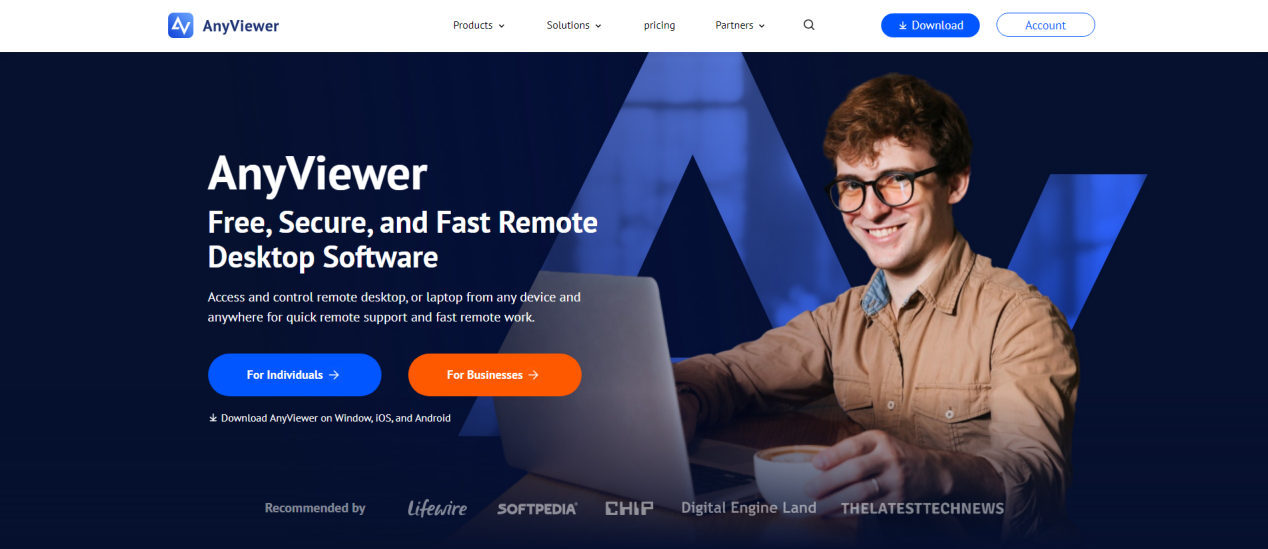
AnyViewer ranks among the top free Remote desktop software for Windows users. It gives a simple, secure, and efficient way to access and control your PC from nearly any location. Whether you’re troubleshooting issues, transferring files, or managing tasks remotely, AnyViewer keeps connections fast, even over long distances.
Enhance remote work with a reliable solution.
As remote work continues to grow, businesses need a strong tool to support employees who are spread across different locations. Making sure your team can reach their work systems remotely is essential for keeping day-to-day productivity up.
Managing a Software Development Team is much easier with the right remote desktop tools.
AnyViewer is built for this need, providing secure and efficient remote access software for businesses of all sizes, especially those running Windows-based systems.
What sets AnyViewer apart as the best remote desktop software for Windows is the broad feature set that makes remote work simpler. It works with Windows, iOS, and Android devices, so users can connect and work almost anywhere.
The clear interface makes setup quick and cuts down on downtime. AnyViewer also offers high-quality remote viewing that holds up even when internet speeds vary. Strong encryption and secure data transfer methods protect sensitive business information at every step.
Support diverse customers across various platforms.
Because customers use a growing range of platforms and systems, supporting them across all popular platforms with the right IT tools matters. Remote desktop software for Windows is especially important, since most desktops run on this operating system.
To keep the whole team efficient, give technicians flexible support options. They should be able to reach customer information and diagnostic tools from any location, no matter where they happen to be working that day.
AnyViewer’s mobile applications for iOS and Android let technicians help customers from anywhere with internet access. They can resolve issues quickly and give clients consistent support.
Conduct in-depth diagnostics remotely
Experienced technicians know that reaching Windows commands and event logs can speed up troubleshooting. These logs help pinpoint the root causes of issues, which leads to quicker and more effective resolutions.
With AnyViewer, there’s no need to juggle multiple tools for diagnostics and remote support. The software runs deep diagnostics directly through the remote viewer, giving technicians access to essential Windows commands and event logs.
This approach allows thorough problem investigation and strong support without the hassle of switching between separate dashboards or leaving their current work area.
How to use AnyViewer for accessing Windows remotely
Start by downloading AnyViewer for free from the official website on both devices you plan to use. Once the download is complete, open the application on each device and follow these steps to set everything up:
Step 1: Install AnyViewer on the remote device and launch it. If you’re new, create an account or log in.
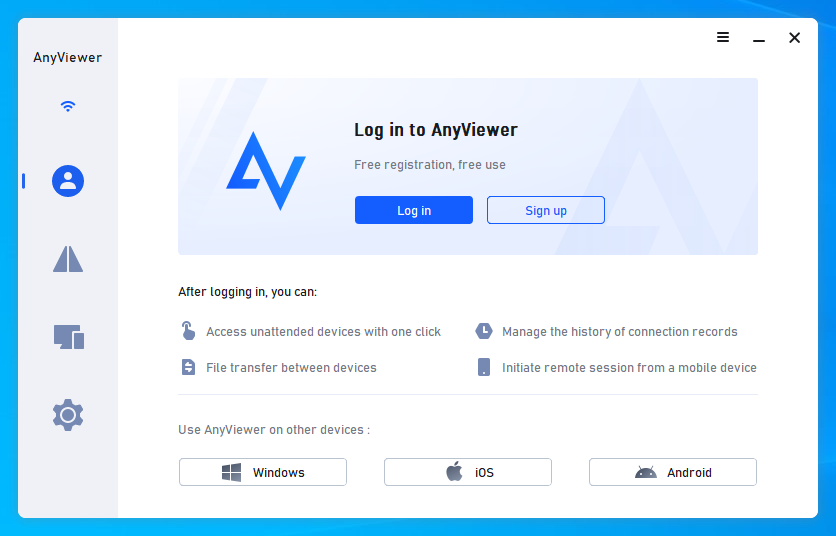
Step 2: Install AnyViewer on your local device, phone, or computer, and log in with your account.
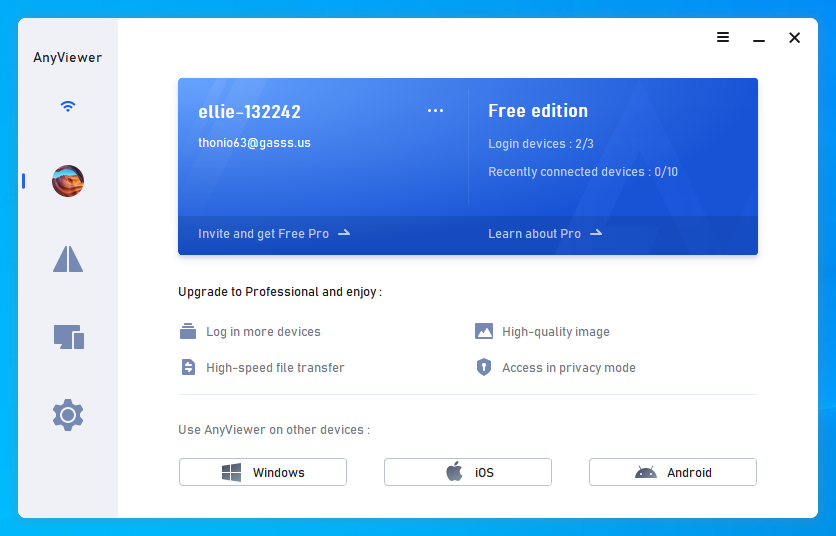
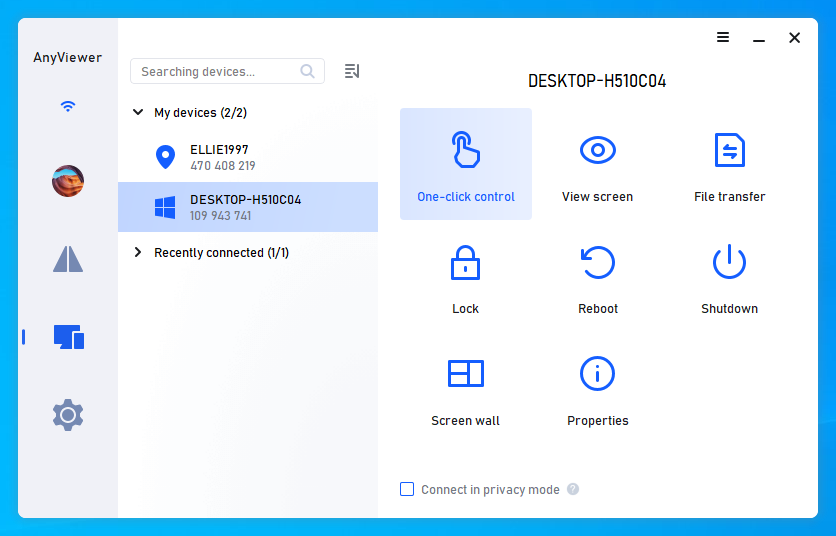
Step 3: On your local device, go to the “My devices” section, select the remote desktop, and use “One-click control” for easy access.
Conclusion
Remote desktop software for Windows, such as AnyViewer, makes controlling your PC from another computer simpler.
The tool provides file access, application management, and support from anywhere, so productivity stays uninterrupted. With its clear interface, strong security features, and cross-device compatibility, AnyViewer is a solid choice for individuals and businesses. Remote access adds real flexibility to how you work.

- Independent picks for exactly what you just read about
- Matched to your team size & needs
- Vendors don't pay for placement
Step 1 of 4
How big is your team?
We tailor recommendations to companies your size.















Related Articles
Guest Post
How Can SaaS Startups Scale Infrastructure Using Affordable Website Hosting?
Continue reading →

Guest Post
Talent Is Available – But Hard to Find: What Recent Research Told Us About Skills Mismatches in the IT Labor Market
Continue reading →
Finance & Billing Software
How Can Businesses Automate Overheads to Save Time and Reduce Admin Work?
Continue reading →
Guest Post
Solving IT Problems When Teams Work From Multiple Locations
Continue reading →