
Looking for a tool to level up your presentations? You’re not alone. Many professionals now lean on artificial intelligence, like Tome AI, to build out their slide decks quickly.
This post introduces you to ten of the best alternatives to Tome AI that could take your presentations further, covering what each one does well and who it fits best.
Key Takeaways
- Plus AI is one of the best alternatives to Tome AI for creating professional presentations.
- Plus AI offers features like automation, layout design, graphics creation, and image generation.
- It has a user-friendly interface that makes it easy to use and navigate.
- Plus AI uses artificial intelligence technology to assist in writing effective presentations.
What is Tome AI and How Does Presentation AI Work?
Tome AI is a presentation tool that uses artificial intelligence to automate slide design, layout, and graphics creation for professional presentations, taking over much of the manual work that used to eat up hours.
Overview of Tome AI
Tome AI is a tool built to help people make strong slides. It uses AI to design and place content on your slides. You tell Tome what you want to say, and it handles the rest, which makes building a presentation quite fast.
You don’t need design or technical skills to use it. Some users describe it as feeling like magic because of how smoothly it works, turning a rough outline into a finished deck in minutes.
How Presentation AI works
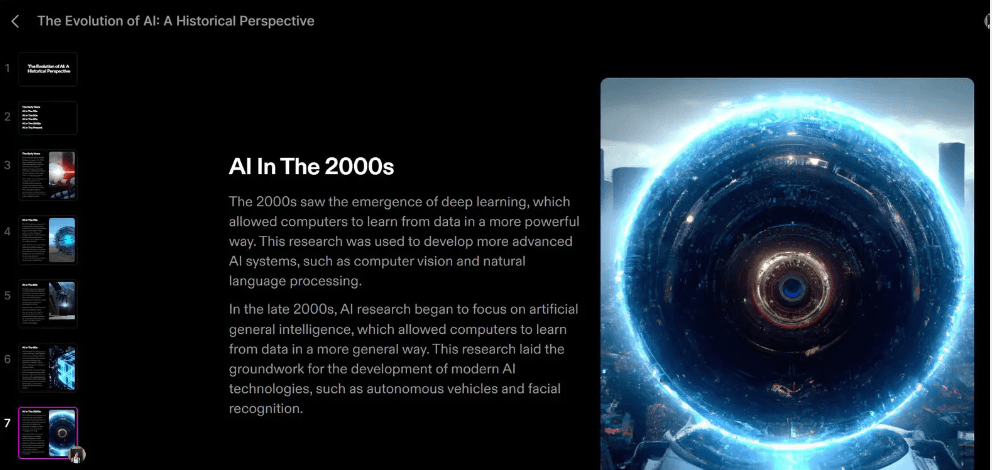
Presentation AI tools use smart technology to build slide shows. You type in your main points, and the tool creates slides with the right information laid out, picking images that fit along the way. It makes putting a presentation together noticeably faster than starting from a blank template.
How to Choose the Best Tome AI Alternative for Your Presentations
To choose the best Tome AI alternative for your presentations, start by identifying your specific presentation needs, then weigh your budget against your desired features before committing to a tool.
Identify your presentation needs
Picking the right tool for your presentation starts with knowing what you need. Here are some steps to help:
| Step No. | Consideration | Description |
|---|---|---|
| 1 | Define Your Goal | Are you aiming to educate, narrate, or promote something? |
| 2 | Establish Your Style | Decide on the tone: will your presentation be formal or laid-back? |
| 3 | Know Your Audience | Understand who will be viewing your presentation. Consider their interests and prior knowledge. |
| 4 | Time Allocation | Determine the duration you have for the entire presentation. |
| 5 | Team Count | Identify how many members will contribute to creating the slides. |
| 6 | Special Requirements | Note if you need any additional elements like sound, video, or high-quality graphics. |
| 7 | Budget Constraints | Set a financial limit for any expenses related to the presentation. |
Consider budget and features
When choosing the best Tome AI alternative for your presentations, it’s worth weighing the budget and features each option offers. Here are some factors to keep in mind:
| Factor | Description |
|---|---|
| Pricing | Look at the cost of the alternative AI tool and determine if it fits within your budget. Some options may offer free versions or trial periods. |
| Features | Evaluate the features provided by each alternative. Consider what you need for your presentations, such as slide design capabilities, automation tools, graphics creation, and user-friendly interfaces. |
| Compatibility | Check if the AI tool is compatible with the presentation software you typically use, such as PowerPoint or Google Slides. |
| Reviews and Ratings | Read reviews and ratings from other users to get a sense of how reliable and effective the alternative AI tool is. |
| Support and Updates | Consider the level of customer support available from the AI tool provider, as well as their track record for releasing updates and improvements. |
8 Best Tome AI Alternatives for Your Presentations
Here are eight top alternatives to Tome AI worth considering for your presentations: Gamma App, Beautiful.ai, Simplified, SlidesAI, Canva, Decktopus, ChatGPT, and Plus AI.
Gamma App
Gamma App is one of the top alternatives to Tome AI for creating professional presentations. It has an easy-to-use interface and a wide range of features that make designing slides straightforward, even for people who don’t consider themselves designers.
With Gamma App, you can automate layout and design, create graphics, and generate images for your slides. It also includes collaborative tools that let multiple people work on the same presentation at once, which helps when a deck needs input from more than one person.
If you want a straightforward, capable AI-powered tool for building presentations quickly, Gamma App is worth a look.
Beautiful.ai
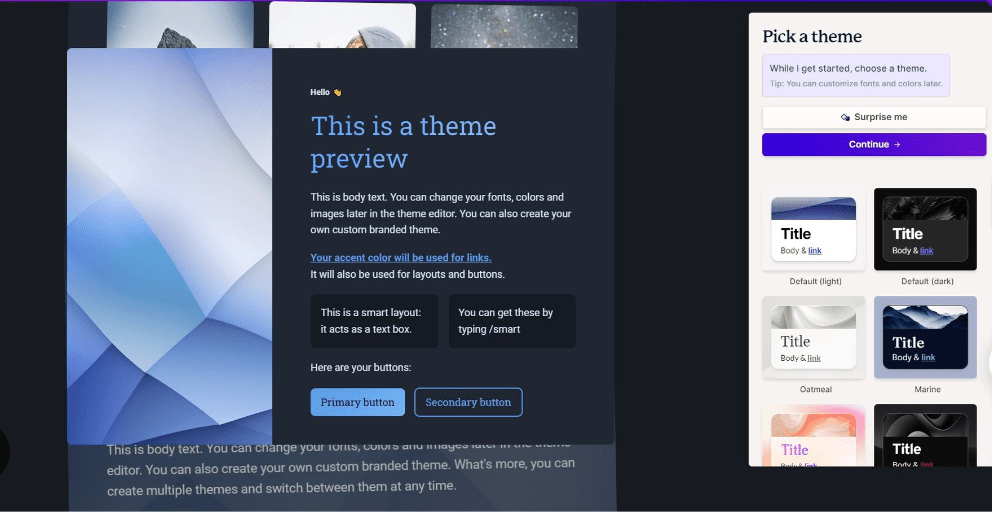
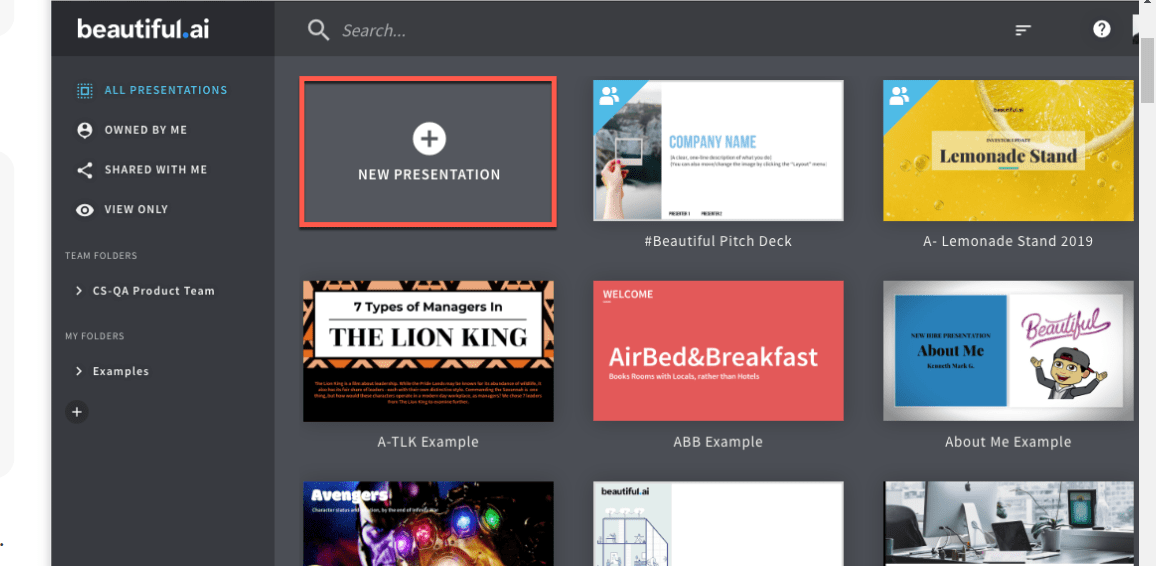
Beautiful.ai is a presentation tool that uses AI to help you build professional, engaging presentations. It lets you design slides, automate layout and design tasks, and generate graphics and images for your presentations without starting from scratch each time.
It offers a wide range of templates and customizable options to fit different presentation needs, whether you’re making a business pitch or an educational slideshow.
It’s cloud-based too, so you can collaborate with others in real time and access your presentations from anywhere, without emailing files back and forth.
Simplified
Simplified is a solid alternative to Tome AI for creating professional presentations. Its interface is intuitive enough that anyone can pick it up quickly, and it automates the layout and design of your slides to save you time and effort.
This AI-powered tool also handles graphics creation and image generation, helping you build visually appealing presentations. Whether you’re a business professional or a student, Simplified is a solid option for compelling presentations without needing technical expertise.

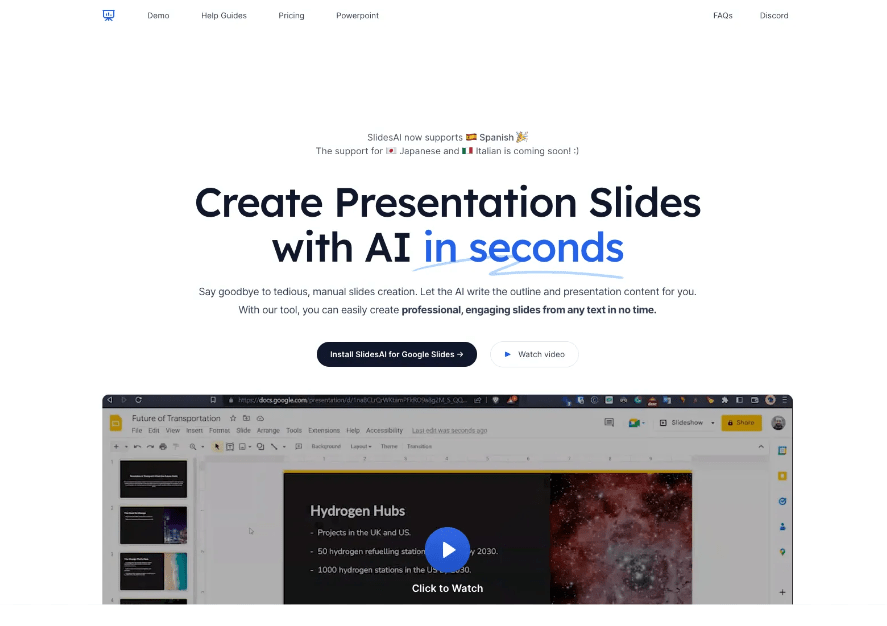
SlidesAI
SlidesAI is an AI-powered tool that helps with the design, writing, and sharing of presentations. It cuts out the hours normally spent building slides from scratch or trying to come up with compelling content on a deadline.
The tool uses automation and layout algorithms to produce professional-looking slide designs within minutes. It also handles graphics creation and image generation, making it easy to add visual elements that strengthen your presentation.
SlidesAI’s interface is user-friendly enough that no technical expertise is needed to use it effectively, whether you’re a business professional or a student building a presentation quickly.
Canva
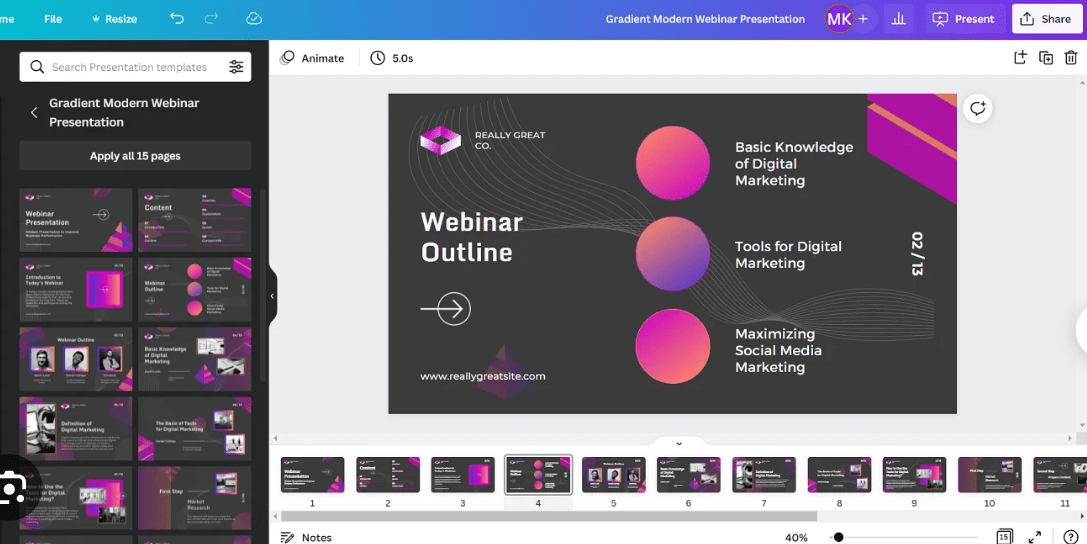
Canva is a widely used graphic design tool that also works as an alternative to Tome AI for building presentations. It has a user-friendly interface and a wide range of features for designing slides, including layout templates, graphics creation, and image editing, all in one place.
Canva lets you collaborate with others and share presentations easily, and it’s fully compatible with PowerPoint, which is convenient if you need to export your presentation to that format.
Canva is well known for its intuitive design tools and its ability to produce professional-looking presentations quickly.
Decktopus
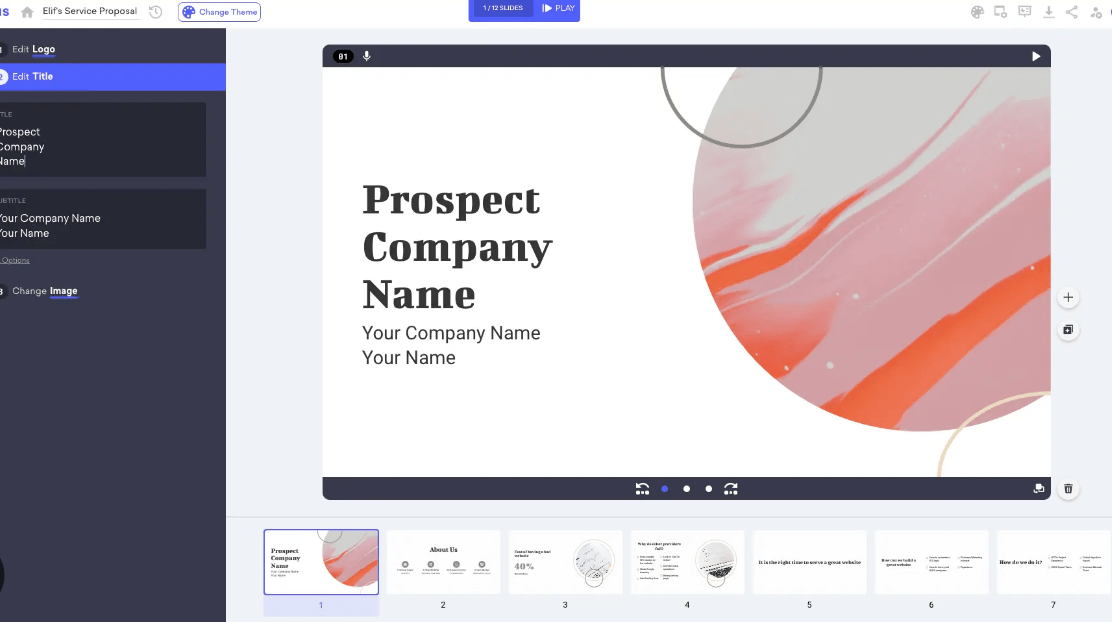
Decktopus is an AI-powered tool that helps you create professional presentations with less effort. It has a user-friendly interface and automation tools that make designing slides and creating content more efficient from start to finish.
With Decktopus, you can customize layouts, add graphics and images, and write engaging presentations. It also offers collaborative features that let you share presentations with others in real time.
Whether you’re a business professional or a student, Decktopus is a genuinely strong alternative to Tome AI for polished, visually appealing presentations.
ChatGPT
ChatGPT is another alternative to Tome AI for creating presentations. This AI-powered tool can help with writing and generating content for your slides. It has a user-friendly interface and automation features that help streamline the presentation-making process from outline to final draft.
With ChatGPT, you can collaborate on presentations and put together professional-looking slides.
Plus AI
Plus AI is another alternative to Tome AI that can help you build professional, engaging presentations. This AI-powered tool has a user-friendly interface and a wide range of features that simplify the presentation creation process from start to finish.
With Plus AI, you can automate the layout and design of your slides, generate graphics and images, and even write your presentations with help from artificial intelligence. It covers the tools needed to make your presentations look polished and genuinely impressive.
If you’re looking for an efficient, AI-powered tool for professional presentations, Plus AI is definitely worth considering.
Other AI Tools for Presentations
Beyond the 8 best Tome AI alternatives above, several other AI tools are worth knowing about for building professional and interactive presentations, each with its own particular strengths.
ClickUp
ClickUp is a versatile project management tool that also works for creating and managing presentations. It has a user-friendly interface and lets users collaborate on presentation projects in real time, which is useful when a deck is a team effort.
With ClickUp, you can organize and prioritize tasks, set deadlines, assign responsibilities, and track progress. It also provides templates and customization options for designing visually appealing slides alongside the rest of your project work.
ClickUp integrates with other popular tools like Google Drive and Microsoft Office, making it convenient to import and export presentation files. Whether you’re working solo or with a team, ClickUp offers what’s needed to build professional presentations efficiently and keep everything in one workspace.
Edit App
Edit App is an AI-powered tool that helps you create and edit presentations with less friction. It has a user-friendly interface and automates layout and design, making it a solid option for professional-looking presentations without a lot of time or design effort invested.
With Edit App, you can generate graphics, images, and even write your presentations using its AI capabilities. It also supports easy collaboration and sharing of presentations online with teammates or clients.
Compared to Tome AI, Edit App offers similar functionality but with its own set of features that make it a solid alternative for building engaging, professional presentations quickly.
Instant AI for Google Slides
Instant AI for Google Slides is an AI-powered tool built to enhance your presentations. With it, you can quickly generate professional-looking slides through automated layout and design, right inside Google Slides.
Instant AI has a user-friendly interface that makes it easy to build visually appealing presentations without advanced design skills. It also handles graphics creation, letting you add images and visuals to your slides with very little effort.
Whether you’re making business presentations or educational slideshows, Instant AI for Google Slides can save real time and improve the overall quality of your presentations.
Premast
Premast is another AI tool for building professional presentations. It has a user-friendly interface and a wide range of features to help with slide design, layout, and graphics creation across different presentation types.
With Premast, you can automate the process of building presentations and use various templates for different purposes. It also supports real-time collaboration, making it a solid option for businesses working across teams.
Whether you need slideshows or interactive presentations, Premast covers it with its cloud-based tools and multimedia capabilities. If you’re looking for an alternative to Tome AI, it’s genuinely worth a try.
PresentationGPT
PresentationGPT is an AI-powered tool that helps create professional, engaging presentations. It offers automated slide design, layout customization, graphics creation, and image generation in one connected workflow.
With its user-friendly interface and automation tools, PresentationGPT helps users write and share their presentations without much friction. As a cloud-based solution, it supports collaborative editing and interactive elements for multimedia presentations of various kinds.
When weighing alternatives to Tome AI, PresentationGPT is worth considering for how it simplifies building visually appealing, impactful slideshows quickly.
Conclusion
If you’re looking for alternatives to Tome AI for your presentations, there are several strong options available. Gamma App, Beautiful.ai, Simplified, SlidesAI, Canva, Decktopus, ChatGPT, and Plus AI are all solid choices with different features and price points to suit different needs and budgets.
There are also other AI tools like ClickUp, Edit App, Instant AI for Google Slides, and Premast that can strengthen your presentation-making process in different ways. With these alternatives available, you can build professional, engaging presentations without much hassle.
Frequently Asked Questions
What are some alternatives to Tome AI for presentations?
Some alternatives to Tome AI for presentations include PowerPoint, Google Slides, Prezi, Keynote, and Canva.
Are these alternatives free to use?
Many of the alternatives mentioned offer both free and paid options. Some have limited features in their free versions while others require a subscription or one-time purchase for full access.
Which alternative is best for creating visually appealing presentations?
Prezi and Canva are popular choices when it comes to creating visually appealing presentations as they offer a wide range of customizable templates and graphics.
Can I collaborate with others on these presentation tools?
Yes, most of these presentation tools allow collaboration where multiple users can work together in real-time on the same presentation, making it easy to share ideas and make edits collectively.
Do I need any special skills or training to use these alternatives effectively?
No special skills or training are required to use these alternatives effectively as they come with user-friendly interfaces and provide tutorials or help guides that you can refer to if needed.
Compare alternatives to the tools in this post
Related Articles
AI Software
How Can SaaS Companies Use Legal AI to Move Enterprise Deals Forward?
Continue reading →
AI Software
Fireflies vs Otter 2026: Pricing, Limits and Which to Pick
Continue reading →
AI Software
AI in Finance: 12 Use Cases for Corporate Finance Teams in 2026
Continue reading →
AI Software
Copilot vs ChatGPT for Business (2026): Price, Security and Use Cases
Continue reading →