
Best Employee Hiring and Onboarding Software in2026
Enhance Your Workforce Efficiency: Simplified Solutions for Seamless Hiring and Onboarding. Managing top talent is hard. We test and compare the Top Employee Hiring & Onboarding Software to help you organize your employees data at one place.

Written by Rajat Gupta
last updated : 26 August, 2026
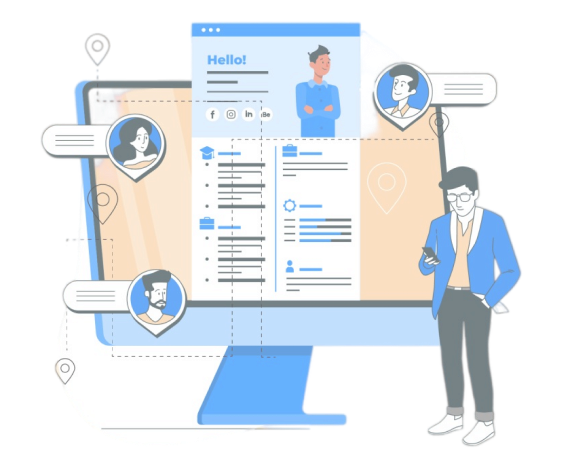
Select Top Hiring & Onboarding Software for your company.
OVER 3 MILLION HR LEADERS TRUST OUR ADVICE




Best Employee Hiring & Onboarding Software for your company
1

BambooHRExpert Pick
The Best HR Software for small and mid-sized companies with affordable pricing
(25700)
What is BambooHR?
BambooHR has been one of the go-to HR software for SMBs for years: It comes with stellar customer support, is easy to use, and gives companies some flexibility in purchasing the modules they want.
Pros & Cons

Flexible packages allows you to select individual modules and add other features based on your requirements.
A user-friendly platform that’s easy to navigate and customize.
All plans and packages come with custom pricing that users find reasonable.
Seamless integration with various LMSs.
Smooth onboarding process with numerous automation features.
Offers free trial.

Payroll is only for US employees.
No checks prevent overbooking vacation time.
Time tracking, performance reviews, and surveys are add-ons.
Major Features

Includes standard benefits tracking, time tracking and offers comprehensive administration as an add-on.
Features automated approval workflows for various HR tasks, with custom workflows in the Advantage plan.
Provides tools for employee satisfaction surveys and extensive reporting, with customizable dashboards for insights.
Securely stores employee data, allows self-service, and sends profile change notifications.
Enables PTO requests via desktop or mobile with simple approval workflows and supports multiple PTO policies.
Streamlines job posting and candidate management with integration to job boards and a dedicated hiring app.
Customers
BambooHR is trusted by over 20,000 companies, including well-known organizations like Quora, Universal Group, Reddit, Asana, Change.org, University of Maryland, and Grammarly.






How much it cost to me?
Free Trial available
Free trials and demo extensions are available, with no annual contract required.

BambooHR uses a flat monthly rate for companies with 20 or fewer employees and a per-employee-per-month rate for larger teams, offering volume discounts as headcount increases
The Essentials package costs $108/month for 20 employees, while the Advantage package costs $180/month.Payroll is an add-on at $150/month for up to 20 employees, with additional charges for more employees.
Essentials includes basic HR management and employee self-service, while Advantage adds hiring, onboarding, advanced reporting, and an open API.
Additional add-ons include payroll, benefits administration, performance management, and time tracking
BambooHR reviews
"BambooHR is a game changer for my small business. It’s easy to use, and their customer service is top-notch, implementing requests quickly. I use all their modules—HR, payroll, performance, benefits, time tracking—and appreciate their responsiveness to feedback. Great job, BambooHR!"

Donna N
Director - Small Business (Kid Country Childcare)
"What I love most about BambooHR is having everything in one place—employee info, hiring, time off, payroll, and more. The platform is user-friendly on both computer and phone. The sales process was smooth, with excellent support and a genuine sales rep."

Jocelyn
Human Resources Director
2

Paycor
Great HRIS for US-Based Teams.
(18450)
What is Paycor?
Paycor is a leading HR company serving over 2 million users. It offers scalable plans with benefits administration, time tracking, and career development. Employees can manage their benefits, request time off, and view pay stubs via a self-serve portal and mobile app.
Pros & Cons
Multiple paid plans available.
Unlimited payroll runs.
Self-serve employee portal.
Scalable product with multiple plans for businesses with under 50 employees and custom plans for bigger teams.
Frequently runs discount programs that cover setup fees.
Offers a mobile app.
Lacks transparent pricing.
Customer support can be slow to respond.
Free trial is available, but you have to reach out and request.
Major Features
Features an intuitive dashboard and mobile app for easy navigation and task notifications.
Paycor handles tax calculations, filings, and provides time tracking and benefits administration.
Paycor offers comprehensive HR tools, including payroll, tax filing, recruitment, talent management, and onboarding.
Onboarding is streamlined with online forms for personal information and tax documents.
It also includes pre-built reports for analyzing turnover, overtime, and pay gaps.
Customers
Among the 12,000+ companies that use Paycor, you'd find names like Wendy’s, McDonald’s, Detroit Zoo, The Cincinnati Bengals, The YMCA.




How much it cost to me?
Free Trial available
Need to contact for quote. Click to get quote now.
Pricing is custom-quoted; contact sales for a quote.
Paycor offers four plans: Basic, Essential, Core, and Complete
Benefits administration and time tracking are available as add-ons.
Free trial details are available from the sales team.
Paycor reviews
"I love Paycor’s user-friendly platform and the create-your-own-reports feature. We rely on Paycor for payroll services and time and attendance, and recently started using the onboarding feature, which has been a huge time saver."

Kelly page
Human Resources Manager
"I love that PayCor meets all my employment needs from recruiting to retirement. I can select the modules I need, and their implementation process is thorough with consistent follow-up. The team is always helpful and kind."

Catherine Haener CPA, PHR
Inverness Golf Club
3

ConnecteamBest for SMBs
Manage your entire team in one app
(12300)
What is Connecteam?
Connecteam simplifies everyday work with deskless teams and keeps them connected, so you can focus on growing the business.
Pros & Cons
One of the only fully-mobile HR tech tools for deskless workers.
SMB-friendly pricing, especially for smaller teams.
Intuitive, user-friendly interface for both managers and workers.
Strong customer support with a large in-house customer success team.
Customizable features—pay only for what you use.
Extra costs for additional users beyond 50.
Lack of advanced features in the free plan.
Major Features
Time clock and payroll integration, enabling seamless time tracking and automatic payroll syncing.
Customizable app with the ability to remove unused features, letting companies tailor the app to their needs.
Employee scheduling and shift management with instant sharing.
Rewards and recognition system with badges and Connecteam tokens, promoting employee engagement and morale.
Live chat, employee directory, and real-time reporting, enhancing communication and providing instant access to data.
Customers
Connecteam is trusted by over 8,000 companies, including well-known organizations like Nike, Herbalife, McDonalds, American Eagle, Mason Corporation, and Footlocker.




How much it cost to me?
Free Trial available
30 Days Free trials is available, with no annual contract required.
Connecteam’s pricing can range from free-for-life to up to $159 per month.
Basic plan starts at $39/month for up to 50 users.
Advanced plan at $79/month with additional features like geofence and smart groups.
Expert plan at $159/month, includes multi-branch management and GPS tracking.
Connecteam reviews
"Chat, group chat and channels are some of the best features but there is SO much more. Our company started out looking for a platform for better company communications. Connecteam checked this box and did it very well but there are so many other features we use regularly. From time clock, job schedule, forms, directory, and many other features, we can't imagine working without Connecteam."

John Fabris
General Manager
"I have researched and recommended Connecteam in my last TWO places of employment. They both were stuck in the 90's per say and doing things the old fashioned way. The free trial is great and really shows all the features Connecteam has to offer. Its super easy to use and user friendly, even more so for some individuals that arent too tech savvy."

Michael Lisella
IT Support / Admin
4

RipplingRecommended
Simplifying HR, IT, and Payroll in One Seamless Platform
(25700)
What is Rippling?
Rippling is an all-in-one HRIS platform designed to manage HR, IT, and payroll functions in one place. Known for its user-friendly interface, automation capabilities, and 500+ integrations, it caters primarily to small and mid-sized businesses.
Pros & Cons
All-in-one HRIS platform for employee management, PEO services, and IT management.
US and global full-service HR & payroll.
Responsive chat support.
Straightforward payroll function.
Integration with over 500 apps.
Offers a mobile app which is very responsive.
Support is only on Emails and Live Chat.
Very SMB Oriented.
Add-ons are very expensive.
Major Features
Full-service payroll for both US and global employees, ensuring accurate and compliant payments.
PEO services to manage employee benefits, taxes, and insurance through a single platform
One platform for HR, IT, and payroll management, streamlining employee processes from onboarding to offboarding.
Mobile app for managing HR and IT tasks on the go.
Automated compliance management, helping businesses stay compliant with labor laws and regulations.
Customers
Rippling is trusted by over 10,000 companies, including well-known organizations like Proxy, Superhuman, Dwell, Expensify, Checkr.

How much it cost to me?
Free Trial available
Free trials, with no annual contract required.
Rippling pricing starts at $8 per user per month.
Rippling uses a per-employee-per-month pricing subscription model.
Rippling reviews
"As a leader at a 2.5-year-old insurtech startup, I use Rippling daily for key tasks. It simplifies Learning & Development, allowing me to assign trainings and upload SCORM files easily. I also appreciate the headcount management feature, especially the org chart functionality. The SSO integration is great, centralizing log-ins for all our tech tools. Rippling’s responsiveness is excellent, typically resolving issues within a day."

Lauren
Business Strategy Lead
"Implementation support with a dedicated resource made setup easy. The self-service documentation is detailed, and the AI-powered wizard is effective. The platform offers plug-and-play modules for payroll, benefits, and third-party integrations. Built-in workflows and task lists streamline processes, while notifications keep us on track. Customer support has been responsive and knowledgeable, providing quick assistance when needed."

Andy
Board Member - Real Estate Group
Disclaimer: This research has been collated from a variety of authoritative sources. We welcome your feedback at [email protected].