

Best Asana Alternative of 2026
Visual solutions for workflow efficiency
Asana is not the only option for Project Collaboration Software. Explore other competing free and paid options and alternatives.
Last Updated: Feb 2026
Top picks for your business




Monday.com
Collaboration & Project Management software that scales across teams.
12000+ Reviews

- Starting plan is $8/user p.m, whereas Asana costs $10.99/user p.m.
- Allows assigning multiple people to one task, not available in Asana.
- Allows uploading, sharing, and collaborating on files directly, Asana requires integrations with file-sharing apps.
- Support is quicker & more helpful compared to Asana's support.
- Steeper learning curve required to use Asana
- Has Built-in Time Tracking; Asana doesn't (required 3rd party add-ons)
Exceptional
9.9

Clickup
Powerful tools to plan, track and organize your team's workload.
8,056 Reviews

Reviews
- Base plan starts from $7/user p.m, whereas Asana it costs $10.99/user p.m.
- Offers more options in viewing, assigning & organizing tasks.
- Includes native time tracking, a feature not native in Asana.
- Support is much faster as compared to Asana's support.
Excellent
9.8

Smartsheet
A cloud-based software that enables project visibility & team collaboration
3874 Reviews- Pricing starts from $7/user p.m, Asana it starts from $10.99/user p.m.
- Interface is more familiar for users accustomed to Excel or Google Sheets.
- Provides robust automation features for complex workflows.
- Excels in integrating with data sources and providing comprehensive data management tools.
- Offers advanced reporting capabilities, especially beneficial for data-driven projects.

Wrike
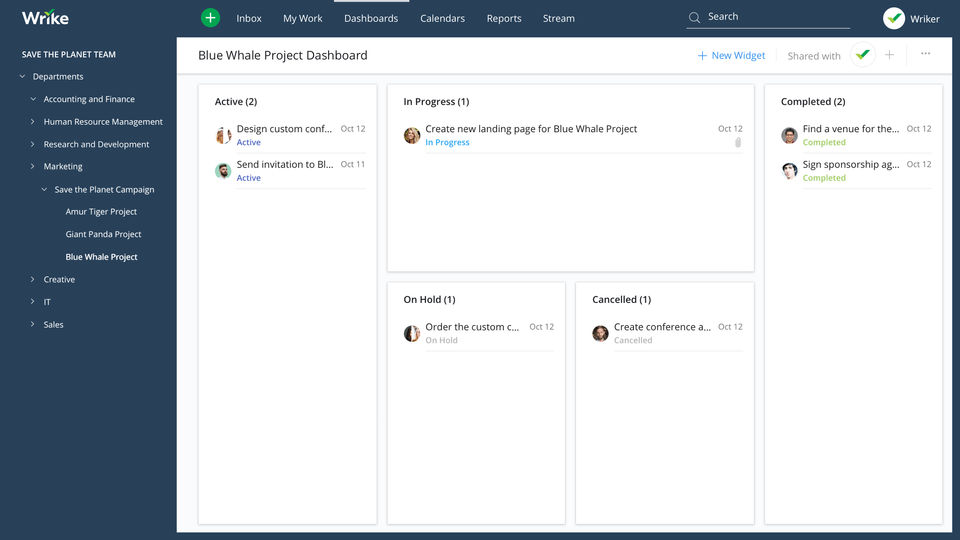
Make your Team process smoother & more efficient
3411 Reviews- Pricing starts from $9.80/user p.m, whereas Asana starts from $10.99/user p.m.
- Offers better customization options for dashboards & workflows.
- Preferred by large-scale enterprise due to scalability & robust PM features.
- Provides Time & Expense Tracking as well; not available in Asana.
Very Good
8.8
1
Price - From $8/user/month
Team collaboration tools - Collaborative docs, Live Updates, Zoom integration, Whiteboards
Free trial - 30 days
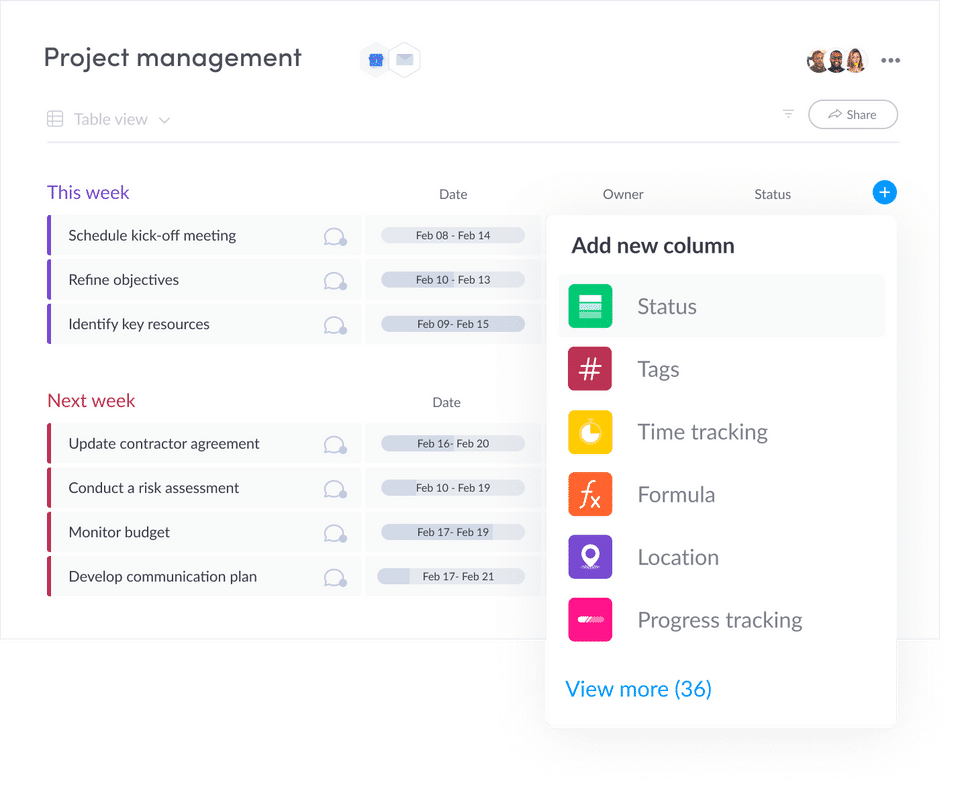
Visually pleasing, efficient resource management with Monday.com
Get Monday.com Free Trial- Data-driven automation for more efficient workflows.
- Easily customizable platform.
- A highly visual solution makes task tracking easier.
- Critical task management features help drive productivity at scale.
- Reliable automation of critical business processes for team and projects.
- Secure platform deployment.
Pros
- Limited calendar view.
- Doesn't offer an auto-save option.
Cons
Monday.com
2
Price - From $7/user/month
Team collaboration tools - Live editing, file sharing, cross-tagging, proofing
Free trial - Two weeks; free plan available
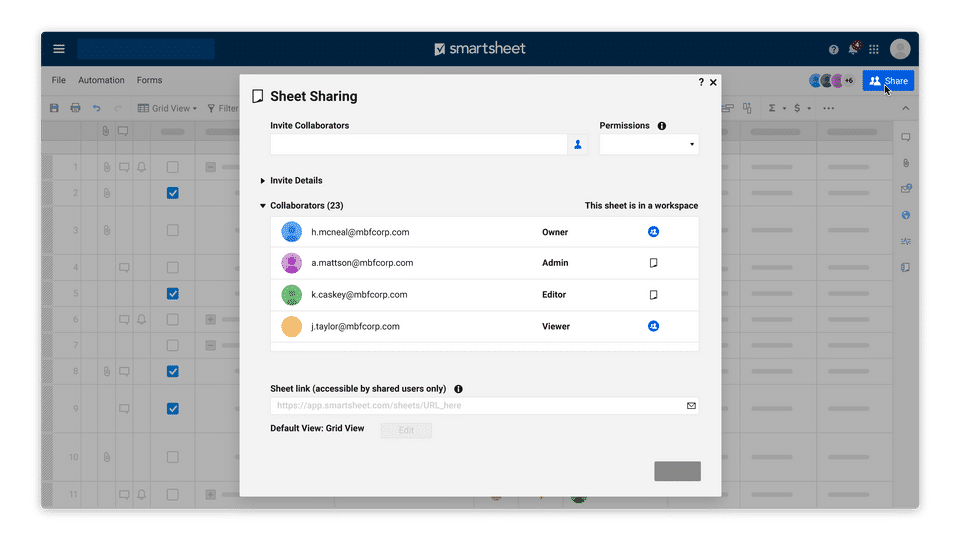
Unified interface for strategic task management
Get Smartsheet Free Trial- Easy to use Gantt charts.
- Customizable dashboard and schedule.
- Comprehensive reports and insights.
- Time-tracking tools included.
- Excellent customer service.
- Customizable dashboards for better progress tracking.
- Capability to share calendars across every team member in real time.
Pros
- Frequent reports of unresponsive support.
- Recorded incidents of unreliable software functionality.
Cons
Smartsheet
3
Price - From $7/user/month
Team collaboration tools - Collaborative docs, Real time updates, Unlimited Integration, Whiteboards
Free trial - 30 days
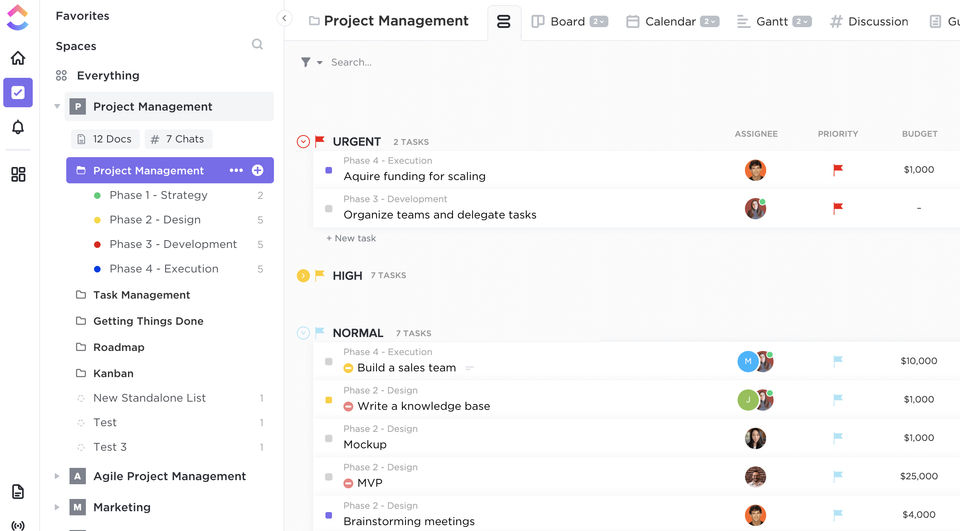
Cohesive project management system with real-time.
Get Clickup Free Trial- Customizable dashboards.
- Features and functions best suited for solopreneurs and small teams.
- Comprehensive freemium plan.
- Provides multiple options for project organization or individual tasks.
- Offers extensive features with the option to customize under the free plan.
Pros
- Onboarding process can be complicated.
- No built-in video conferencing feature.
- Platform can easily overwhelm new users.
Cons
Clickup

About the reviewer

Rajat Gupta is the founder of Spotsaas. Over the past two years, he has reviewed 2,000+ tools across CRM, HR, AI, and finance — applying hands-on product research and a background in commerce and the CFA program to evaluate software through a business and ROI lens. His goal: help teams make software decisions they won't regret.
Disclaimer: This research has been collated from a variety of authoritative sources. We welcome your feedback at [email protected].