
Microsoft OneDrive for Business vs Qualified Comparison

Microsoft OneDrive for Business
Starting at $5 /user/month
- Free Trial
- Freelancers / Consultants
- Large Enterprises
Microsoft OneDrive for Business is a secure cloud storage solution designed to help professionals, teams, and organizations easily store, access, and share work files from anywhere. Built for business users—ranging from…

Qualified
Starting at Contact for pricing
- Large Enterprises
- Medium Business
Qualified is an AI-powered conversational marketing platform designed to help modern B2B marketing and sales teams convert website traffic into qualified pipeline. Its flagship feature, Piper the AI SDR Agent, automates…
Microsoft OneDrive for Business leads on user satisfaction with a 4.5-star rating across 20,289 reviews.
Microsoft OneDrive for Business vs Qualified — at a glance
| Feature | Microsoft OneDrive for Business | Qualified |
|---|---|---|
| Rating | 4.5 / 5 | — |
| Reviews | 20,289 | — |
| Starting price | $5 /user/month | Contact for pricing |
| Free trial | Yes | No |
| Free version | No | No |
| Best for | Freelancers / Consultants, Large Enterprises, Medium Business | Large Enterprises, Medium Business, Small Business |
| Category | Cloud Content Collaboration Software | Conversational Marketing Software |
| Integrations | — | 7+ apps |
| Platforms | SaaS/Web/Cloud, Mobile - Android, Mobile - iOS | SaaS/Web/Cloud, Mobile - Android, Mobile - iOS |
| API | Available | Available |
| Support modes | Business Hours, Online | Online |
| Certifications | SOC 2, HIPAA, GDPR, ISO 27001 | — |
| Data residency | Global | — |
Key differences between Microsoft OneDrive for Business and Qualified
- Pricing: Microsoft OneDrive for Business starts at $5 /user/month. Qualified pricing is not publicly listed.
- Free trial: Microsoft OneDrive for Business offers a free trial; Qualified does not.
- Target audience: Microsoft OneDrive for Business is built for Freelancers / Consultants and Large Enterprises, while Qualified targets Large Enterprises and Medium Business.
- Deployment: Microsoft OneDrive for Business supports SaaS/Web/Cloud, Mobile - Android, Mobile - iOS; Qualified supports SaaS/Web/Cloud, Mobile - Android, Mobile - iOS.
Microsoft OneDrive for Business vs Qualified — find the better fit before you commit.
Which tool fits your team best
Which is actually cheaper for your team size
Where each product wins, per real buyers
Most Cloud Content Collaboration Software tools look identical on paper. This comparison cuts to the differences that matter — pricing structure, team fit, and what real buyers found after signing up.
Biggest differences
Features
Pricing
Buying details
Security
Buyer feedback
Integrations
Product tour
Other options
Talk to an expert Talk to an expert | Talk to an expert Talk to an expert |
Biggest differences
Start here before you go deeper into features.
Microsoft OneDrive for Business
Freelancers / Consultants, Large Enterprises, Medium Business
Large Enterprises, Medium Business, Small Business
Microsoft OneDrive for Business typically suits Freelancers / Consultants and Large Enterprises. Qualified tends to fit Large Enterprises and Medium Business better. The right choice depends on your team size, workflow, and whether a free trial matters.
Description | Microsoft OneDrive for Business is a secure cloud storage solution designed to help professionals, teams, and organizations easily store, access, and share work files from anywhere. Built ... Read More about Microsoft OneDrive for Business | Qualified is an AI-powered conversational marketing platform designed to help modern B2B marketing and sales teams convert website traffic into qualified pipeline. Its flagship feature, ... Read More about Qualified |
|---|---|---|
Entry Level Pricing |
|
|
Free Trial Availability |
| |
User RatingsBased on verified Spotsaas reviews | ||
Best Company Size | 10–10,000+ Employees | 50–1,000 Employees |
Get pricing help | Get pricing help |
Where each option fits best
See where each product is strongest, which teams it fits, and what causes buyers to keep looking — before you commit.
Based on buyer reviews and verified product data collected by Spotsaas.
Key strengths
Microsoft OneDrive for Business
- Deep Microsoft 365 Integration: OneDrive works seamlessly with Teams, SharePoint, Outlook, and other Microsoft tools, offering a unified experience for storing, sharing, and collaborating on documents.
- Enterprise-Grade Security: It provides comprehensive security features, including sensitivity labels, admin visibility, data loss prevention (DLP), and encrypted file sharing, making it suitable for regulated industries.
- AI-Powered Productivity Tools: The inclusion of Microsoft Copilot enables file summarization, insights extraction, and intelligent comparisons directly within OneDrive, improving knowledge access and decision-making.
- Automated 24/7 Lead Engagement: Piper AI SDR handles real-time chat, qualification, email follow-up, and meeting booking, ensuring high-intent visitors are nurtured around the clock.
- Deep Conversational Personalization : Tailored messaging based on firmographics, intent data, and behavior increases relevance and conversion potential.
- Robust CRM and Marketing Stack Integration: Natively connects with tools like Salesforce, HubSpot, Marketo, Slack, Outreach, and Demandbase to streamline workflows and data sync.
Best fit
Microsoft OneDrive for Business
- 10–10,000+ Employees
- Legal, Education, Finance, Healthcare, IT Services, Manufacturing, Marketing
- IT Administrators, Project Managers, Business Analysts, Legal Consultants, Marketing Executives, HR Managers, Educators
- 50–1,000 Employees
- B2B SaaS, Enterprise Technology, Financial Services, Professional Services, Healthcare Tech
- VP of Marketing, Demand Generation Manager, SDR/BDR Team Lead, Revenue Operations Manager, Director of Sales Development
Reasons buyers look elsewhere
Microsoft OneDrive for Business
- Some businesses find OneDrive’s lower-tier plans restrictive, especially with file upload limits and overall storage capacity when compared to competitors offering more generous quotas.
- Organizations that rely heavily on non-Microsoft tools like Google Workspace or Dropbox Paper may find collaboration less fluid or intuitive within OneDrive.
- Advanced users have noted that setting and managing granular access permissions across multiple teams and folders can be unintuitive and time-consuming.
- While enterprise-grade, Qualified can be feature-heavy for small teams seeking simplicity and speed to launch.
- Admins note some navigational complexity and overlapping routing logic, which could be challenging without dedicated technical staff.
- Users request more advanced qualitative analytics on chat transcripts and smart‑button performance.
Software Demo
Demo |
|---|
Need a second opinion?
Get shortlist help from a software advisor
Share your priorities, budget, and team needs, and we’ll help you narrow the options and understand the tradeoffs before you talk to vendors.
How do Microsoft OneDrive for Business and Qualified Compare on Features?
Total Features | 6 Features | 15 Features |
|---|---|---|
Unique Features | No unique features | No unique features |
Get Quote | Get Quote |
Compare Microsoft OneDrive for Business and Qualified on pricing
Review starting price, plan structure, and free-trial access side by side so you can see which option fits your budget and buying process.
Pricing Option | ||
|---|---|---|
Starting From |
|
|
Pricing Plans |
|
|
Pricing Page | 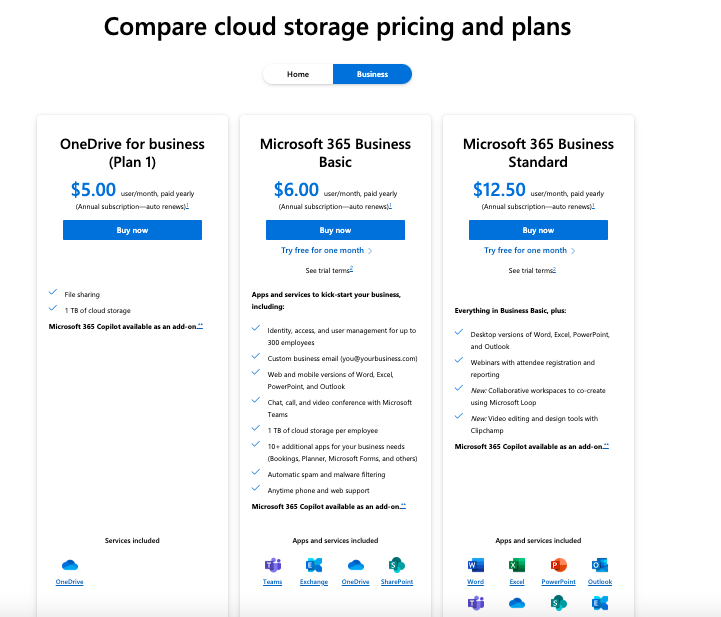 | 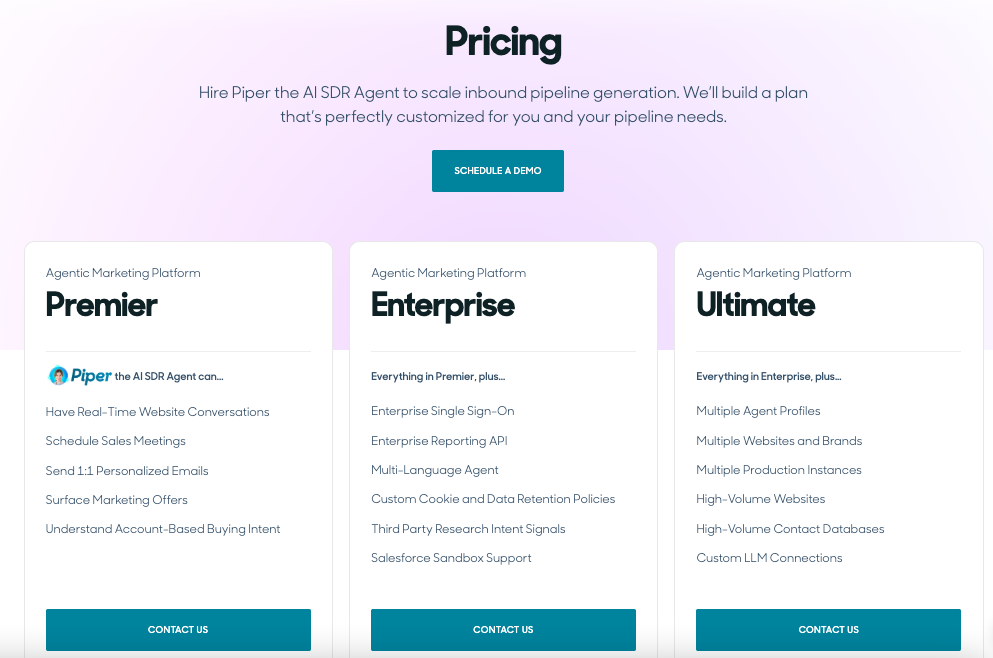 |
Other Details
Organization Types supported |
|
|
|---|---|---|
Platforms Supported |
|
|
Modes of support |
|
|
API Support |
|
|
Get help choosing | Get help choosing |
Security & Compliance
Certifications, data handling, and security controls for IT and compliance evaluators.
SOC 2 | ✓ Yes | — |
|---|---|---|
HIPAA | ✓ Yes | — |
GDPR | ✓ Yes | — |
ISO 27001 | ✓ Yes | — |
Single Sign-On (SSO) | ✓ Yes | — |
Multi-Factor Auth (MFA) | ✓ Yes | — |
Data Encryption | ✓ Yes | — |
Audit Logs | ✓ Yes | — |
Data Residency | 🌐 Global | — |
Microsoft OneDrive for Business User Reviews & Rating Comparison
User Ratings | No reviews available for the product | |
|---|---|---|
Rating Distribution | ||
Spotsaas Editor’s POV generated by AI | Buyer sentiment Buyer sentiment is very strong across 339 reviews, with consistently positive feedback. What buyers like
Common complaints
| What buyers like
Common complaints
|
Pros and Cons |
|
|
Positive Reviews | No reviews available for the product | No reviews available for the product |
Integrations
Integration with other apps | No Integration information available. |
|---|


List of Customers
Customers |  Accenture  Nestle  GoodYear |  Box  Greenhouse  asana |
|---|
Media and Screenshots
Screenshots | 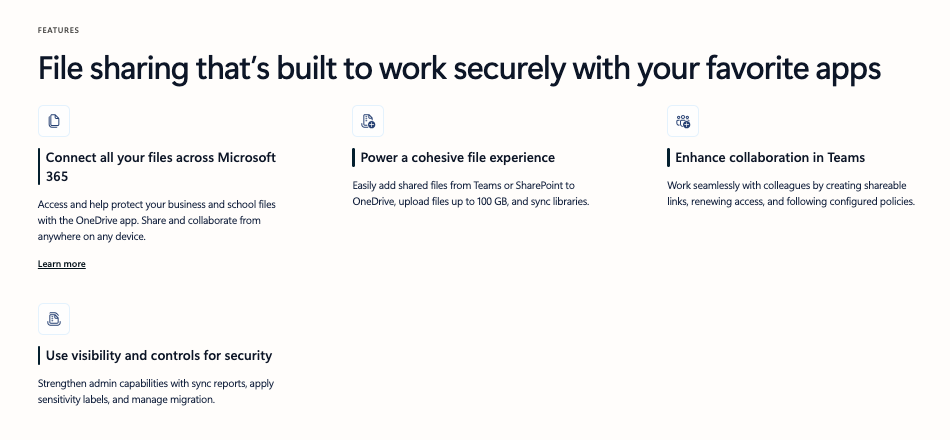 3 Screenshots | 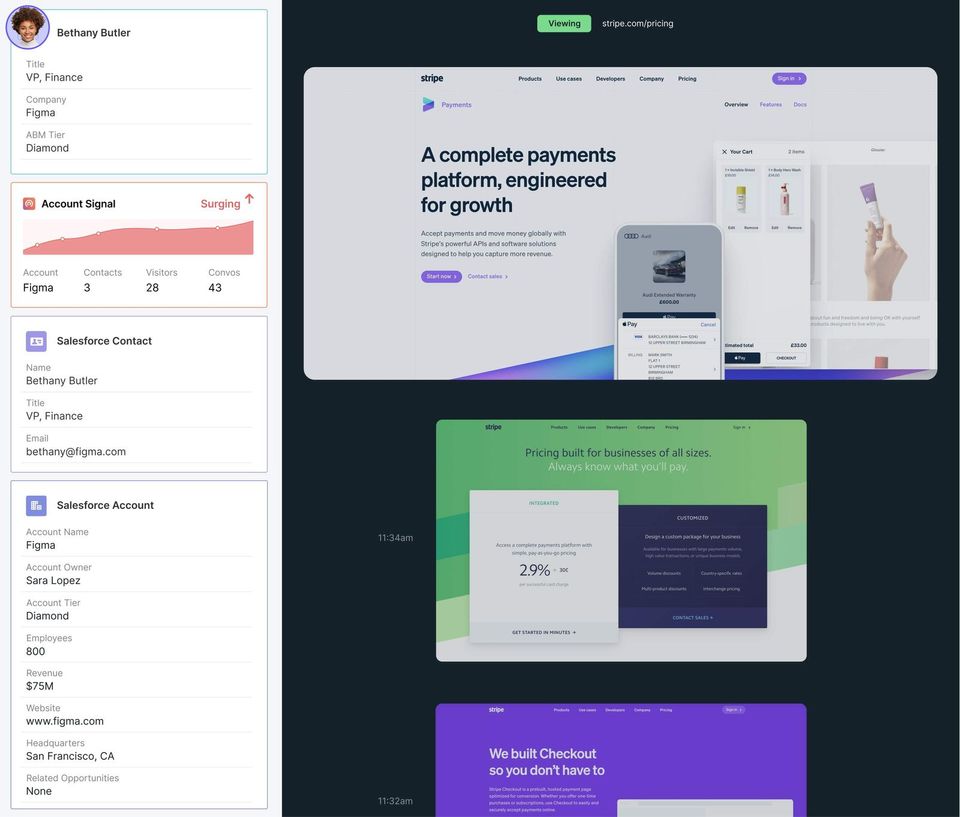 5 Screenshots |
|---|---|---|
Videos |  3 Videos |  1 Videos |
Top Alternatives to Microsoft OneDrive for Business and Qualified in 2026
Alternatives |
|---|


Add another option to compare side by side
Search by product name to compare pricing, fit, and buyer feedback in one view.Compare similar software options


Related Blogs and Articles for Conversational Marketing Software

Disclaimer: This research has been collated from a variety of authoritative sources. We welcome your feedback at [email protected].
Frequently asked questions
- Which is better, Microsoft OneDrive for Business or Qualified?
- Microsoft OneDrive for Business edges out the other on user ratings (4.5 vs -1.0). That said, the best pick depends on your use case — use the comparison tables above to evaluate each dimension.
- Do Microsoft OneDrive for Business and Qualified offer a free trial?
- Microsoft OneDrive for Business offers a free trial. Qualified does not.
- What is the starting price of Microsoft OneDrive for Business vs Qualified?
- Microsoft OneDrive for Business starts at $5 /user/month. Qualified starts at Contact for pricing.
- What are the top alternatives to Microsoft OneDrive for Business?
- Top alternatives to Microsoft OneDrive for Business include CollaborateCloud, Microsoft SharePoint, Onehub, ShareFile, Dropbox Business.
- What are the top alternatives to Qualified?
- Top alternatives to Qualified include Conversica, Automat, ChatFunnels, Konverse AI, Conversational AI Bot.